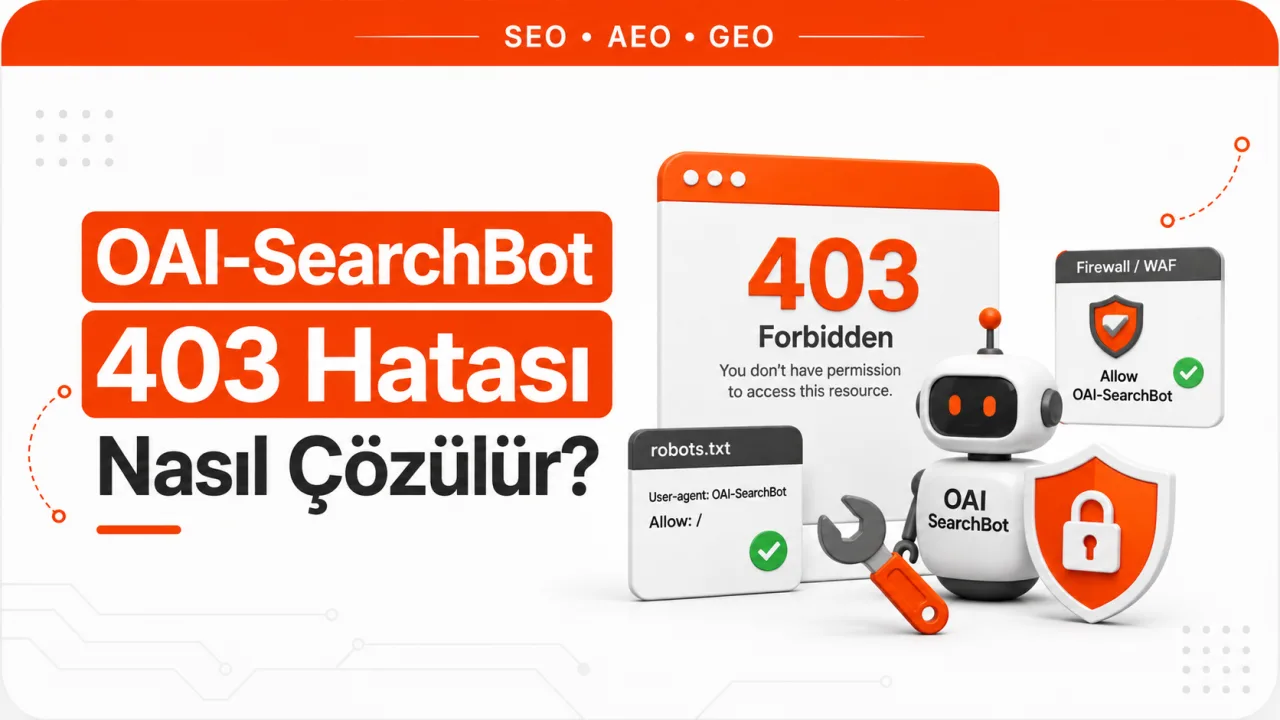
What a 403 Error Tells You
A 403 response shows that the request reached the server and that the server deliberately refused to serve the content. This is structurally different from a robots.txt block. A Disallow line in robots.txt causes a compliant crawler not to send any request to that address at all, so that page never shows up in the log. If you see 403 lines with the OAI-SearchBot user agent in your logs, the bot has read the file and sent the request anyway. Those 403s don't come from robots.txt.
The distinction matters because the fixes for the two problems don't live in the same place. robots.txt is a statement of preference and doesn't technically bind the security layer in front of the content. A 403, on the other hand, comes from a component that performs access control: the CDN, a web application firewall, the server configuration or a CMS plugin.
There's a third distinction too. Rate-limiting rules usually return 429. On Cloudflare, the block action of a rate-limiting rule returns 429 by default, and this code can be changed to anything between 400 and 499. So a 403 could also be coming from a rate-limiting rule whose response code has been customized. A challenge is a separate behavior: even if the bot doesn't receive an error code, it gets an interstitial page that expects it to run JavaScript and can't reach the content. The result is the same dead end, but diagnosis requires looking in a different place.
A quick diagnostic shortcut: if the same URL returns 200 in a browser but 403 to the bot, the rule is about identity, not the URL. The rule in effect is keyed to the user agent, IP range, ASN, country or bot classification.
The Critical Difference Between Blocking OAI-SearchBot and GPTBot
OpenAI publishes three separate clients, and their settings work independently. Allowing one doesn't require allowing another. Missing this distinction is one of the most expensive mistakes on the AI visibility side. A site that doesn't want to supply content for model training may unknowingly shut off its search visibility as well. The reverse happens too: sites that assume they'll appear in ChatGPT search because they allow GPTBot leave the bot that actually matters blocked.
| Bot | What it's used for | robots.txt token | Result if blocked |
|---|---|---|---|
| OAI-SearchBot | Powers ChatGPT's search features and surfaces the site in search answers | OAI-SearchBot | The site isn't shown in ChatGPT search answers, though it may still appear as a navigational link |
| GPTBot | Crawls content for training generative AI foundation models | GPTBot | Content isn't used in model training; ChatGPT search visibility isn't directly affected |
| ChatGPT-User | Handles user-initiated page fetches inside ChatGPT and custom GPTs | robots.txt rules may not apply, since it doesn't count as automated crawling | Content can't be retrieved when a user asks ChatGPT to open a page |
OpenAI's own documentation is clear on this: sites that are closed to OAI-SearchBot won't be shown in ChatGPT search answers. So a 403 problem isn't just technical log noise; it's a restriction that drops the chance of being cited as a source to zero. The first requirement of GEO work for ChatGPT is that this access is open; content quality only comes into play after that.
The Order for Finding Who Is Returning the 403
Before changing settings at random, you need to pin down which layer the block comes from. Work through it in this order.
- Filter raw server logs by user agent. Search the access logs for OAI-SearchBot and count the status codes returned. If there are no lines at all, the problem isn't a 403 but that the bot can't reach the site at all or hasn't discovered the pages. That's an entirely different branch of diagnosis.
- Verify by IP that the request really came from OpenAI. OpenAI publishes the address ranges it uses for its search bot in the openai.com/searchbot.json file. If the source IP in the log isn't on this list, the request may be fake, and the rule returning that 403 is working correctly. The user agent field is the easiest field to spoof and doesn't count as proof on its own.
- Separate whether the block is at the CDN or the origin. If a 403 appears in the CDN logs but the request doesn't appear in the origin access logs at all, the block is at the edge, meaning the CDN or WAF layer. If it appears in both logs, the block is on the server itself.
- If you use Cloudflare, check which product took action. On the Events screen in the Analytics section, the "Events by service" list shows which security product handled the request. In the sampled logs section, you can open individual events and filter by user agent or IP. This step turns the guess "Cloudflare is blocking it" into the fact "this rule is blocking it".
- Separate the status codes from one another. 403 is a direct refusal, 429 is a rate limit and a challenge is an interstitial page the bot can't solve. If all three appear mixed in the logs, more than one rule is probably active at the same time, and turning off a single setting won't end the problem.
- Read the robots.txt file separately. Even if the 403 is resolved, a Disallow line will keep the bot away. These two checks run in parallel; one doesn't replace the other.
The most common trap during diagnosis is sending a request with the OAI-SearchBot user agent from your own computer and treating the result as proof. This test misleads in both directions. Verified bot rules resolve identity through an IP list, reverse DNS or a cryptographic signature; they don't look at the user agent text. A spoofed request from your IP never gets the real bot's permissions, and may even trip rules that detect fake bots and produce a 403 that the real bot doesn't get. The reverse is possible too: the spoofed request gets a 200 while the real bot still gets a 403. The only binding data is the status code in the log for requests coming from the published IP ranges. If you don't want to do this check manually, Seobaz's free AI crawl audit tool tests bots' access to the site from the outside.
Cloudflare-Related Blocks and How to Fix Them
On the Cloudflare side, there are several independent layers that can produce a 403, and they're managed on different screens. They need to be checked in order. If you've just completed your Cloudflare setup, some of these settings may be on by default.
- Check the AI bot policies. The "Configure AI bot policies" screen under Security Settings divides bots into three behaviors: Search, Agent and Training. Each category has three options: "Block (on all pages)", "Block on pages with ads" and "Allow (do not block)". Since OAI-SearchBot falls under search behavior, the Search category should be set to "Allow (do not block)".
- Also review the old "Block AI bots" setting. This single setting was retired on September 15, 2026, and replaced by the category-based policies above; on older setups, check whether a rule left over from it is still active. Since the same date, the defaults for newly added domains are also different: bots in the Training and Agent classes start out blocked on pages that show ads, while Search remains allowed. There's another critical side effect: Cloudflare states that any configuration that blocks training crawling also blocks mixed-purpose crawlers used for both search and training. So the intention "I'm only turning off training" can also shut off search access for mixed-purpose bots.
- Open the Super Bot Fight Mode settings. On this screen, the "Verified bots", "Definitely automated" and "Likely automated" groups are managed separately. To keep verified bots from being blocked, the "Verified bots" group should be set to allow. Because Super Bot Fight Mode can be bypassed with the Skip action in WAF custom rules, it's also suitable for defining exceptions.
- Evaluate Bot Fight Mode on the free plan separately. This feature can't be customized, and because it doesn't run on the Ruleset Engine, it can't be bypassed with the Skip, Bypass or Allow actions. If this is the source, the options are limited: turn the feature off or move to a plan that includes Super Bot Fight Mode. Many sites spend hours writing exception rules without knowing this distinction.
- Scan custom WAF rules and the managed ruleset. An old rule written on the user agent, ASN, country or known bot field can catch OAI-SearchBot even if its name doesn't mention AI. The fix is to define a narrowly scoped Skip rule targeting the bot and to order this exception before the rule that runs the managed ruleset. If the order is wrong, the exception never takes effect.
- Read rate-limiting rules together with the response code. The default code for the block action is 429, but it can be set to a value between 400 and 499. If the code is set to 403, the problem looks like a bot rule but is actually about request volume. In that case, the right fix is to exempt the bot or raise the threshold, not to turn off bot protection.
Cloudflare's managed robots.txt feature is a separate topic and doesn't produce a 403, but its effect is similar. When this feature is on, Cloudflare prepends its own directives to your file and merges the two contents into a single response. So a Disallow line that doesn't appear anywhere in the robots.txt on your server can show up at the live URL. That's why you need to read the file from the live URL, not from the server. When reviewing the file as a whole, the rules covered in robots.txt and crawl budget optimization are useful as well.
Blocks on the Server and Hosting Side
If the CDN comes out clean, it's the origin's turn. The classic sources of a 403 at this layer are the following.
- User agent rules in the server configuration. An old block list written into .htaccess on Apache or into a server block on Nginx is a typical cause. These lists were usually written years ago to stop malicious crawlers, and nobody has touched them since.
- Hosting firewall and ModSecurity rules. On shared hosting, this layer is often not fully visible from the customer panel. To see whether a block exists, you may need to ask the hosting provider for the relevant rule logs.
- Data center and ASN blocks. The search bot addresses OpenAI publishes are cloud data center ranges. A rule built on the logic of "block data center traffic" cuts off this bot even if OpenAI isn't mentioned in it. This is the most insidious type of block, one that happens without the bot ever being named.
- Country-based restrictions. A rule that only allows traffic from Türkiye keeps out all crawlers based abroad. Sites serving a local market put this rule in place deliberately without accounting for its impact on AI visibility.
- CMS security plugins. On WordPress and similar systems, plugin-level bot protection can produce a 403 even if the server and CDN are clean. The plugin's own block log is usually on a separate screen.
- Access walls. Login requirements, paywalls or setups that redirect by region can also return a 403 to the bot. In that case, the problem isn't security but content access architecture.
Verification After Removing the Block
- Remove the rule or define a narrow exception covering the bot. Writing a targeted exception is safer than turning off all bot protection.
- Keep monitoring the log and confirm that requests from the published IP ranges return 200. Verification is done with the status code in the log, not with the green check on the settings screen.
- Read the robots.txt file from the live URL and confirm that no blocking line remains for OAI-SearchBot.
- If Cloudflare's managed robots.txt feature is on, check the directives prepended to the live output.
- Wait to be recrawled. Opening access doesn't mean crawling will happen immediately, and there's no guaranteed timeframe for anyone. Access is a prerequisite, not a guarantee of being cited.
Frequently Asked Questions
If I block GPTBot, will I also drop out of ChatGPT search?
No. OpenAI states that these settings work independently of one another; allowing one doesn't require the other. A GPTBot block covers the use of content in model training. The bot that determines visibility in ChatGPT search answers is OAI-SearchBot. However, because the "block training" option in intermediary layers such as Cloudflare also covers mixed-purpose crawlers, side effects can occur in systems that apply the setting by category rather than by bot.
Why does the bot get a 403 even though I allow it in robots.txt?
Because robots.txt isn't an access control mechanism but a statement of preference. Allowing a crawler doesn't mean the firewall in front of it will let the request through. The allow line is correct; the block is in the CDN, WAF, server or plugin layer. The two layers are fixed separately.
How can I tell whether a request is really from OAI-SearchBot?
By comparing the source IP address with the search bot address list OpenAI publishes. Since the user agent text can be easily spoofed, it isn't sufficient on its own. A request coming from an address not on the list and identifying itself as OAI-SearchBot is a request that's right to block.
Once the 403 is fixed, when will ChatGPT cite me?
There's no defined timeframe for this, and opening access doesn't automatically bring citations. Access is only the first condition. The page being genuinely relevant to the question, carrying the answer clearly and being selected among the other candidates for that question is a separate stage. The right expectation is this: fixing the 403 doesn't earn you visibility; it moves your chance of visibility up from zero.