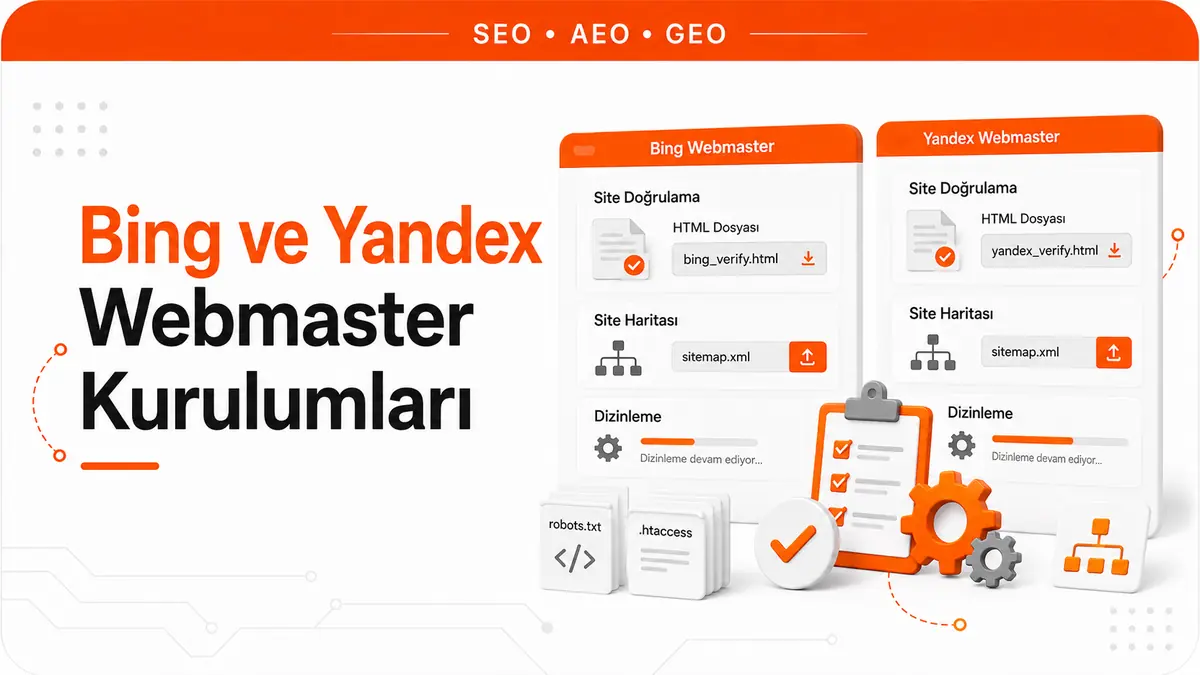
Bing Webmaster Tools and Yandex Webmaster are webmaster dashboards that track a site's indexing and performance data in alternative search engines. As of 2026, Bing's global desktop search share has passed 10%, and its AI-powered Copilot integration is growing that share quickly. This shift proves that an SEO strategy focused on a single search engine ignores a meaningful slice of organic traffic.
Creating a Bing Webmaster Tools Account and Adding a Site
You need a Microsoft account to access Bing Webmaster Tools. After signing in at https://www.bing.com/webmasters, you register your domain with the "Add Site" option. The platform offers two ways to add a site: entering the URL manually or importing automatically from Search Console.
Importing from Search Console is the fastest option. When you click "Import from Search Console", every site verified in Search Console is automatically imported into Bing. This method also completes site verification automatically. If you prefer to add sites manually, the verification step has to be done separately. For large site portfolios, bulk import registers dozens of sites with Bing in a single step.
Bing Site Verification Methods
If you add a site manually, you can choose from three verification methods: uploading an XML file, adding a meta tag and creating a CNAME DNS record. The XML file method is completed by uploading the BingSiteAuth.xml file provided by Bing to the site's root directory.
The meta tag method works with a verification tag added to the <head> section:
<meta name="msvalidate.01" content="VERIFICATION_CODE" />
The CNAME method requires creating a CNAME record pointing to verify.bing.com in your DNS management panel. DNS verification is the most reliable method because it is independent of the site's structure and unaffected by CMS changes. Once verification is complete, do not remove the meta tag or XML file; otherwise, the verification may become invalid.
Faster Indexing With the Bing URL Submission API
Bing's URL Submission API is a powerful tool for speeding up the indexing of new or updated URLs. Unlike Search Console's Request Indexing feature, the Bing API supports bulk submission of up to 10,000 URLs per day. That capacity lets content updates on large sites reach the index quickly.
The API key is available in Bing Webmaster Tools under Settings > API access:
import requests

api_key = 'BING_API_KEY'
site_url = 'https://site.com'

urls = [
    'https://site.com/new-article-1',
    'https://site.com/updated-page',
    'https://site.com/new-article-2'
]

response = requests.post(
    'https://ssl.bing.com/webmaster/api.svc/json/SubmitUrlbatch',
    params={'apikey': api_key},
    json={
        'siteUrl': site_url,
        'urlList': urls
    }
)

print(f'Status: {response.status_code}')
print(f'Response: {response.json()}')
This script sends three URLs to Bing's indexing queue in a single batch. Keep track of the number of submissions so you do not exceed the daily quota. On WordPress, adding a hook that calls this API automatically whenever a new post is published cuts indexing time from hours to minutes.
The Bing Webmaster Tools Performance Report
Bing's Search Performance report offers metrics similar to Search Console's Performance report: clicks, impressions, CTR and average position. Data can be filtered by query, page, country and device. Data is retained for 6 months.
Bing's reporting interface uses a different visual language from Search Console. Trend charts and the table view are accessed from separate tabs. Bing also provides a "crawled pages" metric, which shows how often and how deeply Bingbot crawls the site. The correlation between Bing crawl data and organic performance reveals how effective crawl budget optimization is specifically for Bing.
Bing SEO Analyzer and the Site Audit Tool
Bing Webmaster Tools includes a built-in SEO audit tool. The SEO Reports section lists site-wide technical SEO issues by category. Meta tag errors, missing titles, alt text problems and link errors are detected automatically.
The Site Scan feature crawls the site with Bing's own crawler and checks more than 100 SEO rules across 15 categories. Scan results are classified as "Error", "Warning" and "Notice". This audit tool provides the core functionality of third-party SEO tools for free. Setting up a regular scan schedule (an automated monthly scan) keeps issues from piling up.
The IndexNow Protocol and Instant Notification
IndexNow is an open protocol that notifies search engines of URL changes instantly. Both Bing and Yandex support it. Instead of waiting for a sitemap update, you notify the search engine the moment content is published.
IndexNow integration takes two steps. First, you create an API key and place it in the site's root directory as a {api_key}.txt file. Second, you send an HTTP POST request whenever URLs change:
import requests

def notify_indexnow(urls, host, api_key):
    response = requests.post(
        'https://api.indexnow.org/indexnow',
        json={
            'host': host,
            'key': api_key,
            'keyLocation': f'https://{host}/{api_key}.txt',
            'urlList': urls
        }
    )
    return response.status_code

notify_indexnow(
    urls=['https://site.com/new-content'],
    host='site.com',
    api_key='abc123def456'
)
An IndexNow notification reaches both Bing and Yandex at the same time, because all search engines that support the protocol share the submitted URLs. This single notification starts the indexing process in multiple search engines simultaneously. On WordPress, the "IndexNow" plugin sends this notification automatically every time a post is published.
Creating a Yandex Webmaster Account and Adding a Site
You need a Yandex account to access Yandex Webmaster. After signing in at https://webmaster.yandex.com, you register your domain with the "Add Site" button. Yandex treats the protocol and the www/non-www versions of a site URL separately, so you should add the canonical version.
Yandex Webmaster's default language is Russian. You can switch to English from the language selector in the top-right corner. There is no Turkish interface. The platform's navigation follows the structure Site Dashboard > Indexing > Search Queries > Links > Diagnostics. Getting used to the Russian or English interface takes some time at first, but the report structure is similar to Search Console.
Yandex Site Verification Methods
Yandex offers four verification methods: uploading an HTML file, a meta tag, a DNS TXT record and matching WHOIS information. The HTML file method is completed by uploading the yandex_verification_code.html file to the root directory.
The meta tag method:
<meta name="yandex-verification" content="VERIFICATION_CODE" />
The DNS method works by adding the value yandex-verification: VERIFICATION_CODE as a TXT record. The WHOIS method requires the email address in the domain registration details to match the Yandex account. DNS verification is the most reliable option and is unaffected by site migrations or CMS changes.
How the Yandex Indexing Report Is Structured
Yandex Webmaster's indexing report uses different terminology from Search Console. "Pages in search" shows indexed pages, and "Excluded pages" shows pages left out of the index. Exclusion reasons are classified into categories such as "Duplicate", "Redirect", "Blocked by robots.txt" and "Error loading page".
Yandex also indexes differently. Its crawler is slower, and indexing typically takes 1 to 4 weeks. Submitting a sitemap shortens this time. In Yandex Webmaster, you add the sitemap URL under Indexing > Sitemap files. Sitemap processing status is reported as "Processing", "OK" or "Has errors".
The Yandex Search Queries Report and Metric Differences
Yandex's search queries report provides clicks, impressions and CTR. However, the "position" metric is calculated differently from Search Console. Yandex reports position in search results on a "group" basis and shows a site-wide average position rather than a per-page one.
The "Popular queries" tab in the report lists the queries that bring the site the most impressions. The "Query groups" tab automatically groups similar queries and provides topic-level performance analysis. This grouping feature automates the thematic analysis you would have to do manually in Search Console. Yandex also offers a "demand" metric, which represents the total search volume of a query within the Yandex ecosystem and gives you an extra data source for keyword research.
Yandex ICV (Site Quality Index) and Quality Signals
Yandex calculates a quality index (ICV) for every site. This index is a composite score reflecting the site's overall authority level in the Yandex algorithm. The ICV value is shown on the Yandex Webmaster dashboard and ranges from 0 to the thousands.
The ICV calculation considers content quality, user behavior metrics, backlink profile and technical infrastructure together. A low ICV value points to low ranking potential in Yandex. Raising your ICV requires Yandex-specific optimization: Yandex gives more weight to behavioral factors than other search engines do. Time spent on page, the rate of returns to search results and on-page interactions have a direct effect on Yandex rankings.
Yandex Turbo Pages as an AMP Alternative
Yandex's Turbo Pages feature is a technology that speeds up mobile page loading and gives pages a special appearance in Yandex search results. It works much like AMP, but only within the Yandex ecosystem. When Turbo Pages is enabled, Yandex serves a lightweight version of the content from its own cache.
Turbo Pages setup is based on RSS feeds. Turbo Pages markup is added to the site's RSS feed, and the feed URL is registered in Yandex Webmaster under Turbo > RSS feeds. Yandex usage is low in the Turkish market, but for sites targeting Russia, Kazakhstan and other CIS countries, Turbo Pages offers a strategic advantage.
Robots.txt Differences and Managing Multiple Crawlers
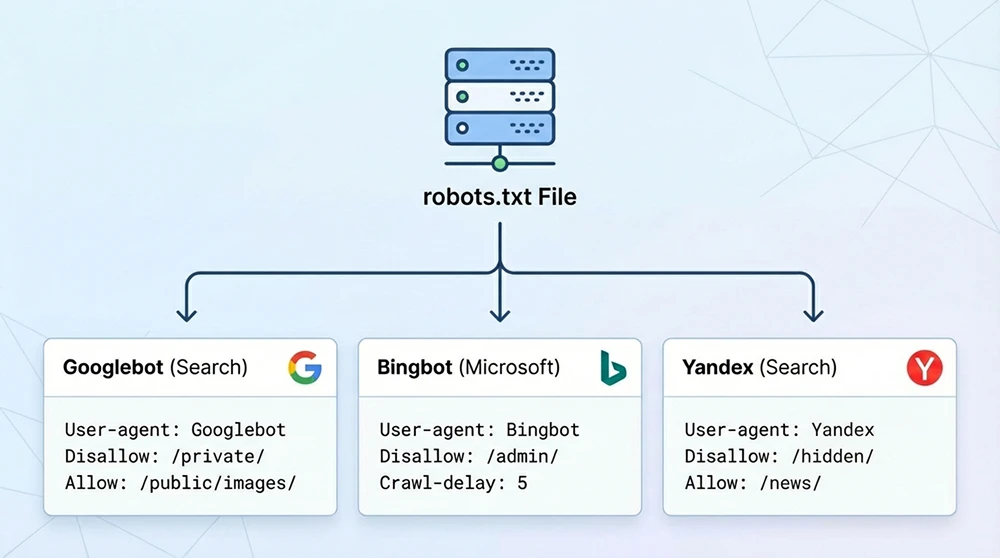
Each search engine's crawler uses a different user-agent name. You can define separate rules for Googlebot, Bingbot and Yandex(Bot). Here is how to manage multiple crawlers in a single robots.txt file:
User-agent: Googlebot
Disallow: /admin/
Crawl-delay: 1

User-agent: Bingbot
Disallow: /admin/
Crawl-delay: 5

User-agent: YandexBot
Disallow: /admin/
Disallow: /search/
Crawl-delay: 10

User-agent: *
Disallow: /admin/
The Crawl-delay directive sets how many seconds a crawler should wait between consecutive requests. Googlebot does not officially support this directive, but Bingbot and YandexBot do. Applying a higher crawl-delay value for YandexBot helps protect server resources. Defining a separate rule block for each crawler lets you optimize crawl behavior per search engine.
Sitemap Management in Bing and Yandex
Both platforms support XML sitemap submission. You add the sitemap URL in Bing Webmaster Tools under Configure My Site > Sitemaps and in Yandex Webmaster under Indexing > Sitemap files. The same sitemap file can be submitted to both platforms.
Sitemap processing times differ. Bing usually processes a sitemap within 24 to 48 hours, while Yandex can take 3 to 7 days. Both platforms report sitemap errors (invalid URLs, inaccessible pages, format errors) separately. The difference in sitemap processing speed between search engines affects when new content gets indexed. The IndexNow protocol minimizes this gap because URL changes are reported instantly.
Microsoft Clarity and User Behavior Analysis
Clarity, Microsoft's free user behavior analytics tool, complements Bing Webmaster Tools. It visualizes how users behave on a page through session recordings, heatmaps and click maps. Installing Clarity takes a single JavaScript snippet added to the site's code:
<script type="text/javascript">
    (function(c,l,a,r,i,t,y){
        c[a]=c[a]||function(){(c[a].q=c[a].q||[]).push(arguments)};
        t=l.createElement(r);t.async=1;t.src="https://www.clarity.ms/tag/"+i;
        y=l.getElementsByTagName(r)[0];y.parentNode.insertBefore(t,y);
    })(window, document, "clarity", "script", "PROJECT_ID");
</script>
Clarity data is used to evaluate SEO performance from a user experience perspective. Rage click detection, dead click analysis and scroll depth heatmaps make the on-page experience of organic visitors directly visible. This data enriches GA4's numerical metrics with visual context.
Expert Note: The Quiet Advantage the Industry Overlooks
Here is a strategy the industry overlooks that quietly makes a difference: many SEO teams work only with Search Console data and never open Bing Webmaster Tools. On the sites we track, Bing's share of total organic traffic usually falls between 5% and 12%, depending on the industry and audience. Because most competitors neglect Bing optimization, ranking in this channel often takes less effort. The effort needed to reach the first page for the same keyword is far lower because of the difference in competitive density. Setting up Bing Webmaster Tools takes 15 minutes, and that investment wins you uncontested traffic in a neglected channel.
Comparing Bing and Yandex Backlink Reports
Both platforms' backlink reports show link data discovered by their own crawlers. Bing's backlink report lists referring domains, target pages and anchor texts. Yandex's "External links" report provides similar data but adds a "Link quality" classification.
Yandex's link quality classification sorts links into "Useful", "Not useful" or "Harmful". This classification follows Yandex's own algorithm and does not map one-to-one onto how other search engines assess links. Combining backlink data from three different sources (Search Console, Bing, Yandex) gives you the most complete picture of your backlink profile. No single source covers every backlink.
Managing Multiple Webmaster Tools Together
Checking three different webmaster dashboards one by one is inefficient. Combining data from all platforms into a single dashboard through API integration centralizes monitoring:
def multi_platform_report():
    report = {}

    # Search Console data
    gsc_data = fetch_gsc_api('sc-domain:site.com', '2026-03-01', '2026-03-31')
    report['google'] = {
        'clicks': sum(r['clicks'] for r in gsc_data),
        'impressions': sum(r['impressions'] for r in gsc_data)
    }

    # Bing data
    bing_data = fetch_bing_api('site.com', '2026-03-01', '2026-03-31')
    report['bing'] = {
        'clicks': bing_data['total_clicks'],
        'impressions': bing_data['total_impressions']
    }

    # Yandex data
    yandex_data = fetch_yandex_api('site.com', '2026-03-01', '2026-03-31')
    report['yandex'] = {
        'clicks': yandex_data['total_clicks'],
        'impressions': yandex_data['total_impressions']
    }

    total_clicks = sum(p['clicks'] for p in report.values())
    for platform, data in report.items():
        share = (data['clicks'] / total_clicks * 100) if total_clicks > 0 else 0
        print(f"{platform}: {data['clicks']} clicks ({share:.1f}%)")

    return report
This structure combines performance data from three platforms in a single function and calculates each platform's share of total organic traffic. Running it automatically every week lets you track performance trends per platform.
Local SEO Integration With Bing Places and Yandex Business
For local businesses, the Bing Places for Business and Yandex Business listing platforms complement the webmaster tools. Once a business listing is created in Bing Places, map and business information appears in Bing search results.
Yandex Business (formerly Yandex.Directory) provides business visibility in Yandex Maps and search results. NAP (Name, Address, Phone) information must be consistent across all platforms. The details in your Bing Places and Yandex Business listings should match the LocalBusiness schema in the site's structured data exactly. Inconsistency weakens local ranking signals.
Yandex Metrica and Behavioral Factor Analysis
Yandex Metrica is Yandex's free web analytics tool and can be used as an alternative to GA4. It offers advanced behavior analysis features such as session recordings, heatmaps, form analysis and Webvisor (screen recording). Because behavioral factors carry high weight in Yandex rankings, Metrica data can be used directly for ranking optimization.
Metrica is installed with a JavaScript snippet added to the site's code. The data it collects is automatically linked with Yandex Webmaster. The "Form analysis" feature in particular shows in detail which form fields users get stuck on. This data provides directly actionable insights for conversion rate optimization.
Technical SEO Differences Specific to Bing and Yandex
Every search engine crawls and indexes differently. Knowing these differences makes platform-specific optimization possible:
- Bingbot's JavaScript rendering capacity is limited, so rendering critical content on the server side improves indexing success in Bing.
- Yandex's meta tag support goes further: the <meta name="yandex" content="noyaca"> tag prevents Yandex from generating its own description text.
- Bing's canonical handling is stricter, so pages without a self-referencing canonical tag can run into indexing issues in Bing.
- YandexBot's crawl-delay compliance is complete, making the crawl-delay directive in robots.txt an effective tool for protecting your server.
- Bing's structured data support favors the JSON-LD format, while the Microdata format shows a lower success rate in Bing rich results.
Using Disavow Tools on Each Platform
Bing and Yandex have their own disavow mechanisms. In Bing Webmaster Tools, you can disavow links by URL or domain under Configure My Site > Disavow Links. Unlike Search Console, Bing lets you add entries one by one in the interface instead of uploading a file.
In Yandex Webmaster, harmful links can be flagged as "Harmful" in the "External links" section. Yandex's automatic link quality classification catches most harmful links. However, harmful links it misses need to be flagged manually. The disavow lists for all three platforms (Google, Bing, Yandex) should be managed in parallel and kept consistent.
Automated Status Checks and Multi-Platform Monitoring
Set up an automated monitoring routine so all webmaster tools are checked regularly. A weekly checklist:
Bing Webmaster Tools: check index status changes, new crawl errors, URL submission quota status and SEO report updates. Yandex Webmaster: monitor index coverage changes, the ICV score trend, search query performance and sitemap processing status. Both platforms can send alerts and notifications automatically by email; you configure them in each platform's settings section.
The real benefit of monitoring all three platforms regularly is seeing the queries and crawl problems that Search Console doesn't show. Traffic in a neglected channel can only be grown once it is measured.



