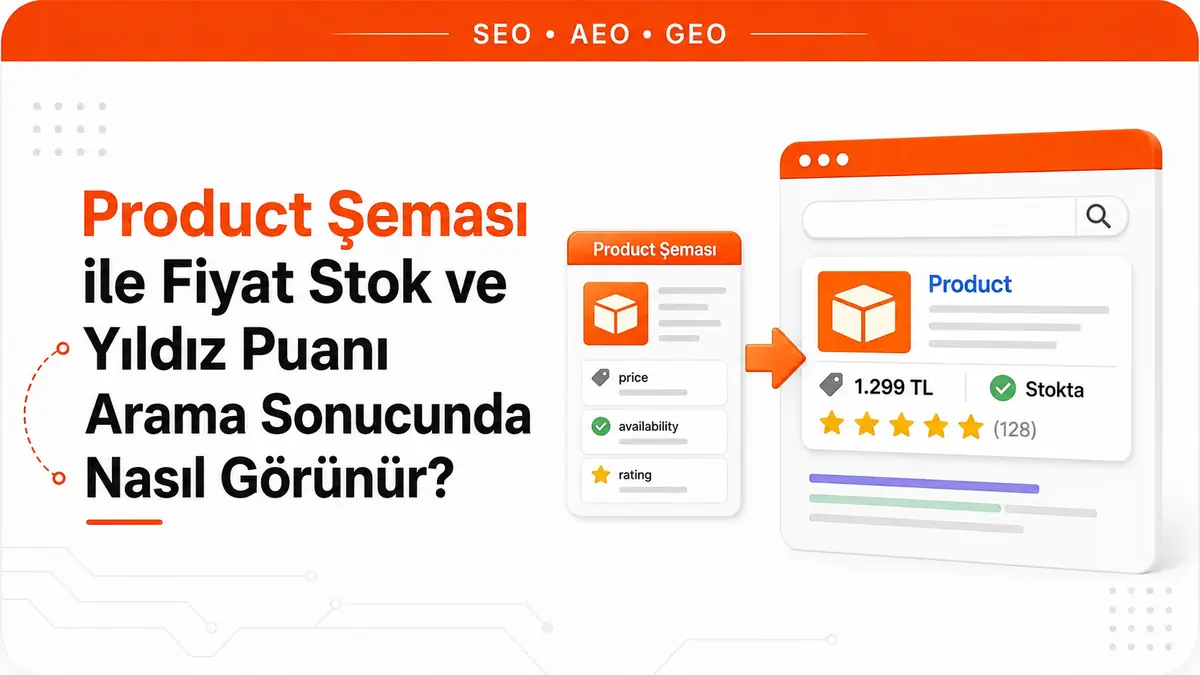
When two product pages show up one after the other for the same query, you notice the difference before you even read the titles. One has two lines of gray description underneath. The other shows a row of yellow stars, how many people rated it, the current price and the stock status. The second result has answered three questions before anyone clicks: is the product available, how much does it cost, and were buyers happy with it. The plain blue link in the same list answers none of these, so instead of clicking to find out, the user looks at the next result down.
This visual difference is no accident. The source code of the rich-looking result contains Product structured data, and that data tells Google separately which number is the price, which value is the stock status and which scale the rating uses.
Where do stars and prices in search results come from?
Product schema is a structured data block that uses the Product type from the schema.org vocabulary to describe a product's name, image, price, stock status and rating in a machine-readable way. The format Google recommends is JSON-LD, a data package placed inside a script tag without touching the page's visible HTML.
Many members of the schema family produce nothing directly in search results; they only clarify what the page is about. Product stands apart here: when set up correctly, its output is visible. Rating stars, review count, price and stock status can appear under the result as a text result, and the product can appear in the shopping knowledge panel and in popular products results.
The wording matters here. In Google's own words, structured data makes a feature possible; it does not guarantee that it will appear. Markup makes the page eligible, the decision to show it belongs to Google, and even a correctly marked-up page may not get a rich result. That is why it makes sense to think of Product schema not as a ranking tool but as a way to pass along commercial information the page already carries without it getting lost. To see where this work fits at catalog scale, it helps to look at where e-commerce SEO differs from classic SEO.
Product snippet or merchant listing?
There is one question you need to answer before you start with Product markup: can the user buy the product on this page?
If the answer is yes, the page is a candidate for the merchant listing experience. This experience highlights sales-specific data such as price, availability, shipping and returns, and it is the gateway to eligibility for surfaces like the shopping knowledge panel, Google Images and popular products results.
If the answer is no, meaning the page is a product review, editorial commentary or comparison content, the page is a candidate for the product snippet experience. Here, the focus is on ratings, review information and price range.
This distinction is not cosmetic. The two experiences have different required field lists, are tracked through two separate reports in Search Console and can produce different warnings for the same page. The merchant listings report is for pages where the consumer can buy the product; the product snippets report only needs to be checked for non-merchant listing pages. If the concept itself is new to you, how e-commerce basically works also explains why this line is drawn so sharply.
How required fields differ between the two experiences
The table below compares the minimum field set Google defines for each experience. Recommended fields are not included, because they determine quality and richness, not eligibility.
| Field | Product snippet | Merchant listing |
|---|---|---|
name |
Required | Required |
image |
Not required | Required |
offers |
At least one of review, aggregateRating or offers |
Required and must be of type Offer |
offers.price |
Required if offers is used; can be zero |
Required and greater than zero |
offers.priceCurrency |
Required if price is present |
Required |
aggregateRating |
Counts as one of the three | Recommended |
availability |
Recommended | Recommended |
Two rows in the table cause the most errors in practice. First, AggregateOffer is not accepted for merchant listings, because to be eligible for this experience the merchant has to be the actual seller of the product, and a single active price is expected rather than a price range. Second, if you provide offers on its own in a product snippet without review or aggregateRating, the validation tool may show a warning in the product snippets section.
Writing the price correctly in the offers block
The price can be provided in two places: directly in offers.price or inside offers.priceSpecification. If you write both, Google uses the offers.price value and ignores priceSpecification. So describing complex pricing with priceSpecification while leaving an old price value forgotten in the block quietly leads to the wrong price being read.
Currency is written in three-letter ISO 4217 format, TRY for the Turkish lira. Use a period, not a comma, as the decimal separator, because the markup reads numbers in the standard format, not according to local writing conventions.
The priceValidUntil field hides a trap. If it contains a past date, your entry may not be shown. Sites that don't update this date when a campaign ends quietly lose, weeks later, the rich result they earned during the campaign, and usually look for the cause somewhere else.
availability values and which one to choose
Stock status is not free text; it is chosen from a defined list of values. Short names without the URL prefix are also supported, so InStock and https://schema.org/InStock mean the same thing. Choose the single value from the list that best describes the situation.
InStock: the product is in stock.OutOfStock: the product is currently out of stock.SoldOut: the product has sold out.LimitedAvailability: stock is limited.BackOrder: the product is on back order, meaning it is out of stock but orders are taken and fulfilled later.PreOrder: the product can be pre-ordered.PreSale: the product can be ordered and delivered before general availability.InStoreOnly: the product can only be bought in a physical store.OnlineOnly: the product is only available online.Discontinued: the product has been discontinued.
The differences between them matter operationally. The difference between OutOfStock and Discontinued is the difference between a product coming back and a product that will never be sold again. The difference between BackOrder and PreOrder is the difference between an existing product running out of stock and ordering a product that has not been released yet. Locking all of these to a fixed InStock value instead of actually connecting them to your inventory system means sending users to pages for products you do not have, and that behavior falls into the misleading markup category.
Who can give which ratings in aggregateRating and review?
The minimum requirement for a rating block is simpler than people think. Alongside ratingValue, at least one of ratingCount or reviewCount must be present. When the rating is nested inside another type as aggregateRating, the itemReviewed field can be omitted, but the name of the item being rated must still be provided.
On scale, the default behavior is this: if you give a plain number, Google assumes a 5-point scale, with 1 the lowest and 5 the highest. If you use a different scale, you need to add the bestRating and worstRating fields, because a value of 88 is meaningless on a 5-point scale but meaningful together with bestRating: 100. Fraction and percentage formats (for example 60% or 6/10) carry the scale within themselves, so they do not need to be defined separately.
The truly critical part is not the field names but where the rating comes from. Google's review snippet guidelines draw four lines:
- The marked-up rating must be visible to users on the page. If you use
aggregateRating, users must be able to see that aggregate rating on the page. - The rating must be about a specific item, not about a category or a list of items.
- If you mark up multiple individual reviews on a page, you also need to include their aggregate rating.
- Reviews or ratings must not be aggregated from other websites, and ratings must come directly from users.
There is a common misunderstanding here. The rule "you can't show your own rating on your own site" is written in Google's guidelines for LocalBusiness and Organization structured data: if the entity being reviewed controls the reviews about itself, the star review feature cannot be used on those pages. Product pages are not the target of this restriction; a store can mark up the customer ratings it collects for the products it sells. On the product side, the four points above are what bind you. The reviewer name is a separate detail: it must be a valid name for a Person or Team, and a marketing phrase like "Black Friday sale" cannot be used as a reviewer name.
Sample merchant listing block
The block below contains the minimum required fields for a merchant listing and the most useful recommended fields. The values are examples; in a real implementation, all of them are generated dynamically from the catalog and inventory system.
<script type="application/ld+json">
{
  "@context": "https://schema.org/",
  "@type": "Product",
  "name": "Copper-Bottom Stainless Steel Pot 24 cm",
  "image": [
    "https://example.com/images/pot-1x1.jpg",
    "https://example.com/images/pot-4x3.jpg",
    "https://example.com/images/pot-16x9.jpg"
  ],
  "description": "24 cm stainless steel pot with a three-layer base.",
  "sku": "TNC-24-BK",
  "gtin13": "8691234567890",
  "brand": {
    "@type": "Brand",
    "name": "Example Kitchen"
  },
  "aggregateRating": {
    "@type": "AggregateRating",
    "ratingValue": 4.6,
    "ratingCount": 128
  },
  "offers": {
    "@type": "Offer",
    "url": "https://example.com/product/steel-pot-24-cm",
    "price": 1249.90,
    "priceCurrency": "TRY",
    "availability": "https://schema.org/InStock",
    "itemCondition": "https://schema.org/NewCondition",
    "priceValidUntil": "2027-01-31"
  }
}
</script>
What matters in this block is not the presence of the fields but that every one of them matches the visible information on the page exactly. Showing 1,199.90 on the page while sending 1249.90 in the markup is technically valid but wrong from a policy standpoint.
The right approach for products with variants
For products with options such as color and size, marking up each variant as a separate Product and squashing them all into a single Product are both incomplete solutions. The right structure is the ProductGroup type.
ProductGroup represents the product family, and its only required field is name, for example "Winter wool coat." Each variant under the group has its own Product definition with a more specific name, for example "Winter wool coat, green, size small." The group and variants are linked in both directions: hasVariant from the group to the variants, and isVariantOf from a variant to the group. The properties by which the group varies are specified in variesBy (for example color and size), and the group is identified with productGroupID. Information shared by all variants, such as brand, description and aggregate rating, is provided at the group level and does not need to be repeated for each variant.
If variants live on separate URLs, an extra detail comes into play. Since a ProductGroup does not belong to a single page, it has no canonical URL; the group definition is repeated on each page, and in addition to the full definitions of its own variants, each page carries a variant that points to the variant on the other page using only the url field. This way Google can crawl the variant network. The equivalent rule on the currency side is just as clear: if a product is sold in more than one currency, use a separate URL for each currency.
How work is divided between Merchant Center and markup
You can give Google product data through two channels: adding structured data to the page and uploading a feed to Merchant Center. These are not alternatives to each other. Providing both maximizes eligibility for experiences and helps Google understand and verify the data correctly. Some experiences combine the two sources; for example, product snippets can take pricing data that is missing from on-page markup from your merchant feed.
For shipping and returns, where conflicts are possible, Google defines a clear order of precedence. From strongest to weakest: product-level feeds submitted in Merchant Center, Content API settings, settings in Merchant Center or Search Console, product-level merchant listing markup, and organization-level markup. In practice, this means that if your shipping policy changes often and you struggle to keep markup current, configuring this information in Merchant Center or Search Console is a more resilient solution than burying it in markup.
Why Product schema doesn't work on category pages
Product rich results only support pages that focus on a single product or on variants of the same product. "Shoes in our store" is not a specific product. Google recommends adding the markup to product pages, not to product listing or category pages.
This explains why plugin setups that print Product blocks for 40 products on a category page never produce stars. The same logic repeats on the rating side: review information must be about a specific item, not about a category or a list of items. The SEO value of a category page comes not from structured data but from its own content and internal linking structure.
Practices that risk a manual action
The structured data guidelines explicitly prohibit several behaviors, and a manual action can be applied to the page if they are violated:
- Marking up content that is not visible to readers of the page. If the JSON-LD describes a rating, price or stock status, the HTML body must show the same information.
- Marking up irrelevant or misleading content, such as fake reviews.
- Using structured data to deceive users, impersonating another person or organization, claiming ownership of something you don't own, or misrepresenting the primary purpose.
- Aggregating ratings from other sites and presenting them as your own page's aggregate rating.
It is important to know the scope of the penalty. A manual action related to structured data means the page is no longer eligible to appear as a rich result; the page's ranking in Google Web Search is not affected by it. So the risk is a loss of visibility, not a ranking collapse. That loss is still serious, because what you lose is exactly the visual advantage that created the click difference described at the start of this article. You can check for manual actions in the Manual Actions report in Search Console.
Common mistakes that cost you rich results
- Hard-coded stock value. Keeping
availabilityasInStockon every product means the markup becomes misleading once stock runs out. - Price mismatch. A difference between the price shown on the page and the price in the markup is common, especially on discounted pages because of caching.
- Past-dated
priceValidUntil. A date that is not updated after a campaign ends can stop the entry from being shown. AggregateOfferon a merchant page. If you sell the product, you need anOfferwith a single active price; a price range is not eligible for this experience.- Zero price. Merchant listings expect a price greater than zero, so this experience does not work with a "call for price" setup.
- A rating with no count. Writing
ratingValuewhile leaving bothratingCountandreviewCountempty invalidates the block. - Invisible aggregate rating. Marking up an average rating that is not shown anywhere on the page is a direct guideline violation.
- Duplicate markup. When the theme and a plugin both print a separate
Productblock on the same page, it becomes unclear which data will be read; this is the most common conflict in WordPress and WooCommerce setups. - Product markup on category pages. Product blocks printed on listing pages do not produce rich results.
- Decimal comma. A price written as
1249,90(the format used in Turkish and many European locales) causes problems because it is not read in the standard format.
Validation and ongoing monitoring
The post-setup workflow has three steps. First, the markup is tested and critical errors are fixed; fixing non-critical warnings is not required for eligibility, but it improves data quality. How to read the testing tool and which warnings actually need action is covered in detail in our Rich Results Test validation guide.
The second step is checking whether Google sees the page the way you do. This is where the URL Inspection tool comes in, because if there is a robots.txt block, a noindex tag or a login requirement, accurate markup is useless. On setups that print price and stock information with JavaScript, this step is not optional; it is mandatory.
The third step is building continuity. In Search Console, the merchant listings and product snippets reports show errors and warnings page by page, while the search results report lets you track how often the rich result appears and gets clicked. As the catalog grows, errors appear in bulk rather than one by one, because the same template produces thousands of pages. That is why Product schema is not a one-time setup job but a living data layer connected to your inventory and pricing system.
Frequently Asked Questions
Will adding Product schema improve my rankings?
No. Structured data makes a page eligible for a display feature; it carries no ranking promise. The clearest proof is on the penalty side: when a manual action related to structured data is applied, the page loses rich result eligibility, but its ranking in Google Web Search is not affected. What schema gives you is not a higher position but a result that carries more information in the same position.
Should I remove the schema from the page when a product goes out of stock?
Rather than removing it, it is better to change the availability value to the real status. That is exactly why the value list includes options like OutOfStock, SoldOut and Discontinued. Deleting the markup does not make the page accurate; it only leaves it without a signal. The problem is not missing stock information but showing stock you don't have.
Can I pull ratings from another platform and display them?
No. The guidelines explicitly exclude aggregating reviews or ratings from other websites and require ratings to come directly from users. Showing a rating from an external platform as information on the page is one thing; marking it up as your own aggregateRating block is a guideline violation.



