How many URLs does a 3,000-product catalog generate?
Let's do a simple calculation. Say a store with 3,000 products in its catalog has four filter groups on a category page: 8 colors, 6 sizes, 20 brands and 5 price ranges. Since the "not selected" state of each group is also a state, the number of filter combinations a single category page can generate is 9 x 7 x 21 x 6, or 7,938 different URLs. Add four sorting options and the number rises to 31,752. If the site has thirty categories, the product count is still 3,000, but the theoretical number of URLs has passed the hundreds of thousands.
This arithmetic shows directly what makes e-commerce SEO a separate job. On a corporate site, pages are created by people and their number is known. In e-commerce, software creates the pages; their number is the product of the catalog and the filter structure, and it multiplies without anyone deciding page by page.
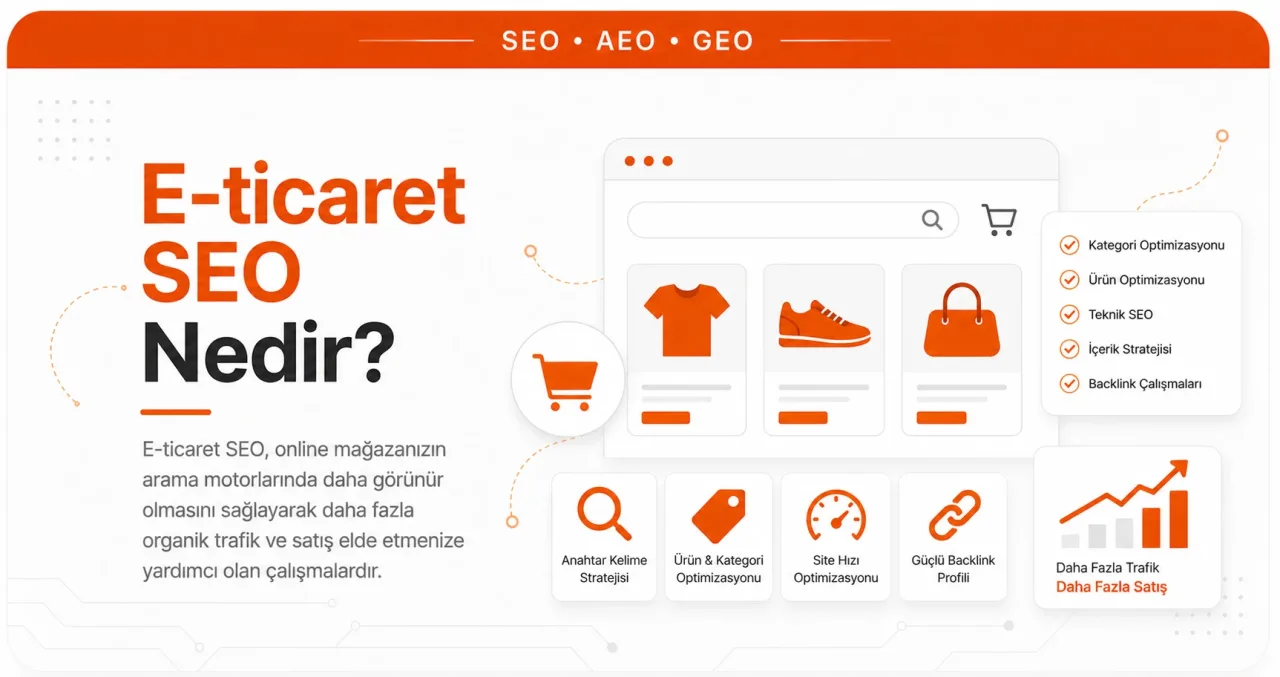
E-commerce SEO is the work of turning a store's product catalog into a structure that search engines can crawl, deduplicate and use to pick a single correct page for each query. Writing content is only one part of this work; the real issue is deciding which URLs will exist, which will be crawled and which will be indexed.
On Google's side, this decision has a budget. Google defines crawl budget with two components: the crawl capacity the site can handle and Google's crawl demand for that site. There is also no guarantee that every crawled page will be indexed; each page is evaluated separately after crawling. So if the 31,752 URLs above get crawled, that crawling comes at the expense of real product pages.
Topics such as writing titles and descriptions, internal linking, content quality and link authority are common to every site; how they work is the subject of our article explaining how SEO fundamentally works. For the business model itself, sales channels and the legal framework, see our article on what e-commerce is. The topic here is the layers that only appear on sites that sell a catalog.
The category page is the store's real front door
Google does not infer a site's structure by looking at URLs. Its own documentation says so explicitly: structure is worked out from the links between pages. How many links must be followed to reach a page and how many internal links point to it produce signals about the page's relative importance. As a general rule, the more internal links point to a page, the more important it is read to be relative to others.
The practical consequence for e-commerce SEO is this: category and subcategory pages are the link path to the products themselves. Google's documentation includes a specific warning: if category pages do not link directly to all products in a category, Googlebot may not be able to find all the products through crawling alone. If links cannot be provided, a sitemap or a Merchant Center feed should be used, because these sources can carry URLs the crawler would not otherwise find.
The same logic works in the other direction. Linking a category or best-selling product you want to highlight from the homepage or from blog content is a documented way to help Google understand that page's importance within the site. Links should also be built with <a href> tags rather than JavaScript events; Googlebot does not mimic menu behavior.
The category page text is a separate topic. A block of text stuffed under the product list that repeats the same keyword does not answer the question users ask on that page. Category page text should help users choose: which type suits whom, how to choose a size or measurement, which model makes sense for which use. This is exactly one of Google's content assessment questions: does the page provide substantial value compared with other pages in search results?
Google's recommendations for category pagination are clear. Each page should have its own URL (for example ?page=2), each page should point to its own canonical URL, and the first page of the series should not be made the canonical for the whole series. Carrying the page number in a URL fragment (#) does not work either, because Google ignores fragments. As for the rel="next" and rel="prev" tags used in the past, Google no longer uses them.
Filter URLs are the biggest drain on crawl budget
Google writes that faceted navigation based on URL parameters can generate an infinite URL space and that this harms a site in two ways. The first is overcrawling: because crawlers can only tell whether a URL is useful by crawling it, they are forced to visit a large number of filter URLs. The second is slower discovery: when crawling is spent on useless URLs, the time available for new and genuinely useful pages shrinks.
Google describes two paths. If you do not need filter URLs indexed, prevent them from being crawled. If you do, make them worth crawling, knowing that this has a serious cost on the server side.
On the blocking side, two methods are recommended. The first is closing off parameter patterns with robots.txt; Google says there is often no good reason to allow filtered lists to be crawled and that allowing product pages and a single unfiltered list page to be crawled is enough. The second is carrying filters in the URL fragment (#); since Google generally does not support fragments in crawling and indexing, this structure has no effect on crawling.
Google also warns about two common habits. Pointing filter URLs to the unfiltered version with rel="canonical" can reduce crawl volume over time, and adding rel="nofollow" to filter links can help, but Google states that these two methods are generally less effective in the long run. noindex is no solution for crawl budget at all: Google still requests the page, drops it after seeing the tag, and the crawl time has already been spent.
If you do want filter URLs crawled, the rules to follow are documented as well. The industry-standard & should be used as the parameter separator; characters such as commas, semicolons and square brackets are hard for crawlers to recognize as separators. If filters are embedded in the URL path, their order should always stay the same, and the same filter should not appear twice. Most importantly: if a filter combination returns no results, the page should return a 404, not redirect to a shared error page.
| URL type | Decision | Rationale |
|---|---|---|
| Category and subcategory | Crawl and index | The answer to general search intent, and the internal link path itself |
| A single filter with real demand (for example category plus color) | Can be indexed | If it has its own title, description and text, it answers a separate query |
| Combinations of two or more filters | Do not crawl | The number of combinations grows out of proportion to search demand |
| Sorting parameter (price, newest, popularity) | Do not crawl | A differently sorted version of the same content, the typical example Google recommends blocking |
| Session ID, tracking code, location-dependent parameter | Never use in internal links | Generates short-lived, duplicate URLs |
| Pagination | Crawl | The path through which products are discovered, each page with its own canonical URL |
| Filter combination that returns no results | Return a 404 | A not-found response, rather than a redirect, is the right signal |
A manufacturer's description leaves the page nothing to say
Taking product descriptions from the supplier catalog is the most common practice in e-commerce, and the result is this: thirty sites selling the same product carry identical text. None of those pages has any original information that would change a user's purchase decision.
Two of Google's content assessment questions look directly at this situation: if the content draws on other sources, does it avoid simply copying or rewriting them and instead provide substantial additional value and originality, and does the content provide original information, research or analysis? There is a similar signal on the crawling side: among the factors Google takes into account when deciding the crawl resources allocated to a site, it also counts content uniqueness. So a copied catalog falls behind not only in rankings but also in crawl frequency.
The information the manufacturer did not and cannot write is the page's real asset:
- How the size or measurement actually behaves (does it run small, does it match the size chart)
- Compatibility information: which model, which accessory, which platform it works with
- Questions about box contents and missing parts
- Usage and care details, consumable needs
- Who this product is not suitable for
- The concrete difference from the model above and the model below
- Shipping, return and warranty terms as they apply to that specific product
In an eight-thousand-product catalog, writing this for every product is not possible, nor is it necessary. Three criteria set the order: products already getting impressions in Search Console, high-margin products, and products with stock depth, meaning they will not disappear soon. The rest of the catalog stays live with a template, while the products at the top of the list are worked through one by one.
A warning: having AI rewrite the same manufacturer text does not produce originality. What comes out is the same information said in different words, and Google's question was asked precisely to tell these apart.
What happens to out-of-stock and discontinued products?
This is a decision specific to e-commerce, and it is often gotten wrong. The mistake comes in two extremes: deleting every product that sells out, and deleting nothing while piling up thousands of dead pages. The right answer depends on why the product is gone.
| Situation | What to do | Why |
|---|---|---|
| Temporarily out of stock, will be restocked | Keep the page in place, show stock status accurately, offer alternatives and a notify-me option | The link and ranking history the page has built up is lost when it is deleted |
| Permanently removed, no equivalent | Return a 404 or 410 | Google recommends a 404 or 410 for permanently removed pages and says a 404 is a strong signal not to crawl that URL again |
| Replaced by a true equivalent (new model, new version of the same product) | 301 to the new product page | A redirect is the signal Google considers strongest in determining the canonical |
| No equivalent, but a bulk redirect looks tempting | Do not bulk 301 to the homepage or a category | Redirecting to an irrelevant target creates soft 404s; Google states that these pages continue to be crawled and eat budget |
| Seasonal product, returning next season | Keep the URL permanent, do not delete and recreate it every season | Each time, the discovery and evaluation process starts from scratch |
Stock status also has a counterpart in structured data. The values defined for the availability property in Google's product markup include states such as in stock, out of stock, sold out, discontinued, pre-order and limited availability, and only one of these values can be specified. So "out of stock" is not a page to delete but a status to declare.
What does product structured data show in search results?
This is where e-commerce gets a genuinely concrete gain from structured data. By Google's own definition, when Product markup is added to a page, the page becomes eligible to appear as a product snippet; this is a text result that carries additional product information such as ratings, review information, price and availability. In other words, this is where the stars, price and stock information under the blue title in search results come from.
There is a second layer as well. If you sell the product directly, Google recommends merchant listing markup. This markup makes the page eligible to appear in experiences such as the shopping knowledge panel, Google Images, popular products results and product snippets, and can highlight more specific data such as price, availability, shipping and returns information. For editorial product review pages, product snippet markup is the right choice.
Skipping the rules cancels this gain outright:
- Items missing required properties are not eligible for rich results
- Content that is not visible to readers on the page cannot be marked up; the information in the markup must match the information on the page
- Irrelevant or misleading content such as fake reviews cannot be marked up; reviews and ratings that do not come from real users can lead to a manual action
- Stock and price information must match the actual state on the page, and the availability value must contain a single value
Test the markup for validity before going live; Google's own validation tool and how to read its results are explained in detail in our article on Rich Results Test validation. After launch, monitor it in Search Console; Google provides two separate reports for product markup, one for product pages where the product can be purchased and the other for other product pages such as reviews and aggregators.
Beyond Product, there are other types that are useful for e-commerce: BreadcrumbList, which declares the page's place in the site hierarchy; Organization, which carries business information and the return policy; LocalBusiness for those with a physical store; Review for reviews; and VideoObject for product videos.
The limits should be stated clearly, too: structured data is not a promise of rankings. It makes a page eligible for certain types of display, and that is all. Nor does it guarantee being cited in AI answers. Its value on the classic rich result side, however, is measurable and real: of two results in the same position, the one showing price and rating has a better chance of being clicked than the one that does not.
How do Merchant Center and site data connect?
Google says uploading product data to Merchant Center is not required to appear in search results but can improve Google's understanding of the products. For some surfaces, such as the Shopping tab, participation is required. For small sites that update infrequently, generating an automatic feed from crawled pages may be enough; for large or fast-changing catalogs, there are two concrete reasons to upload a feed file: crawling does not guarantee that all products will be found, and a feed gives control over when updates are processed.
A lag problem can arise between these two sources. When a product sells out, the site immediately marks it as unavailable, but the Merchant Center side, especially when a feed is used, may stay on old data for a while. Google's recommendation is to set Merchant Center to automatically update its own copy based on site content when an inconsistency is detected.
On-site search creates two problems and one opportunity
The first problem is product findability. Google's documentation states it plainly: when crawling a site, Googlebot generally does not try submitting queries to the search box. A product that can only be reached through on-site search is, from an index perspective, as good as nonexistent. That is why it is strongly recommended to link to every product you want indexed, and if that is not possible, to use a sitemap or product feed.
The second problem is the on-site search results pages themselves. They are valuable for users but an endless source of URLs for crawlers, with every query producing a new URL. These pages do not need to be indexed, so their crawling is blocked with robots.txt; Google recommends exactly this method for pages that matter to users but do not need to appear on Google surfaces.
The opportunity lies where most stores never look. The on-site search log is a first-hand dataset showing the words users actually use to search for your products, and it is not available in any keyword tool. Queries that return no results tell you three things at once: demand for a product not in your catalog, a category that has not been created, or a gap between the term you use and the term the customer uses. If the product listed as "speaker" in your catalog is searched by customers as "sound system", on-site search is the first place that will tell you.
Similar products and categories can eat into each other's rankings
In a catalog, four different pages can target the same query: the category, the subcategory, a filter page and individual product pages. In that case Google chooses which page to show on its own. Google's canonical documentation says this directly: if you do not indicate a preference, Google decides which version is the best one to show users.
The tools for indicating a preference are also ranked by strength. The strongest signal is a redirect, followed by the rel="canonical" tag, and the weakest is inclusion in a sitemap. Their effects add up when these methods are used together. There is also a specific rule for variants: if each variant has a separate URL, the canonical on variant pages should point to the main product URL.
In practice, the decision takes three steps. First, assign a single owner page to each commercial query. Next, separate the other pages targeting that query by intent: the category page serves the selection stage, the product page the decision stage, and their titles, text and internal links reflect this distinction. If they cannot be separated, meaning both pages say the same thing, one is merged into the other. Pages created for each color of the same product do not deserve to be separate pages if they do not get separate queries.
Customer reviews produce both content and signals
Reviews are the only truly original source of content on a product page that relies on manufacturer text. What they bring is not just text but the customer's own words. Topics such as sizing, delivery time, what came in the box and product lifespan come up naturally in reviews, and these are also the phrases people type into the search box.
The search result counterpart is the review snippet; Google defines it as a short excerpt from a review or a rating, usually an average of combined ratings, and products are supported within this scope. The only condition here is clear: ratings must be based on real users. Google's own policy documentation states that reviews and ratings that do not come from real users can result in a manual action.
For the comparison and review content you write yourself, Google has a separate guide. The criteria it highlights are: evaluating the topic from the user's perspective, supporting first-hand experience with what is reviewed using visuals or other evidence, measuring performance quantitatively, explaining what sets the product apart from its competitors, writing about drawbacks as well as benefits based on your own research, and saying which option is better for which use. These criteria apply to content that positions a product within its category. The review signal is provided structurally on the product page; a brand compiling reviews about itself on its own blog is not the same thing and does not produce the same trust.
In what order does a team with limited time tackle this work?
In an e-commerce SEO project, you cannot tackle everything above at once. The order depends on which task's output feeds into another:
- Is measurement working: if Search Console and analytics are not set up correctly, you will not be able to see the impact of any of the following steps.
- Take an index inventory: how many URLs are indexed, how many of them are real products and categories, and how many are filter and sorting leftovers.
- Decide on filters and sorting: which URLs will be crawled and which blocked. Content work done before this decision is made gets spent on pages that are not crawled.
- Fix the category architecture: a link path to every product, menu structure, pagination and sitemap.
- Prioritize product content: start with products that get impressions and have high margins; do not wait for the entire catalog.
- Set up and validate product structured data: so that price, stock and rating match reality on the page.
- Write the stock and product removal rule: this is not a one-off task but a permanent rule that needs to be built into the software.
- Set up a review collection flow: a post-order reminder, publishing reviews visibly on the page, and connecting the markup.
The first four items on this list are largely software and architecture work; the content side only pays off once that groundwork is in place. If you are considering outside support instead of running it with your own team, take a look at our SEO packages.
Frequently Asked Questions
I sell on marketplaces. Do I still need SEO for my own site?
A marketplace does not give you traffic; it gives you a share of its own traffic, and the rules for that share can change at any moment. What builds up on your own site is different: the URL is permanent, the customer data is yours, the margin is not split with commission, and brand searches come straight to you. A practical approach is to treat the two as separate jobs: the marketplace is the volume leg of sales, your own site is the brand and margin leg.
Should color and size variants of the same product be separate pages?
The criterion is search demand. If people search for that product separately with qualifiers such as "black" or "red", and each variant has its own images, its own stock status and its own price, separate URLs make sense. If you use separate URLs, Google's rule means the canonical tag on variant pages should point to the main product URL. If there is no demand, a selector on a single page is better, because dozens of empty variant pages create both crawling and cannibalization problems.
Is it a problem to have AI write product descriptions?
The problem is not the tool itself but its input. If the only input you have is the manufacturer's text, the output will be a rewritten version of that text, and this is exactly the distinction Google's content assessment questions are designed to draw. If you use the tool to organize your own data (customer questions, return reasons, recurring themes in reviews, sizing feedback), genuinely new information comes out. In both cases, factual accuracy should be checked by a person before publishing, because wrong compatibility or sizing information generates returns.
At how many products does crawl budget really become a problem?
There is no single threshold number, nor should one be expected, because the problem is tied not to the number of products but to the number of URLs generated. A site with five hundred products but filters open to unlimited combinations can have a heavier crawl problem than a site with ten thousand products and filters locked down. The right question is: what multiple of your actual product count is the number of URLs crawled but not indexed in Search Console? The higher this ratio, the filter decision becomes more urgent.
Does blog content really contribute to an e-commerce site?
Its contribution is not direct sales but two indirect functions. First, it answers informational searches that product and category pages cannot (how to choose, how to care for it, which one suits whom). Second, it carries internal links to category pages, and Google's importance signal comes from these links. The condition here is that the blog post solves a question on its own; a post that turns into a product promotion loses both.



