A customer finds you on Google, taps the number on the screen and reaches a line that is no longer in service. The business moved eight months ago, and the new number is listed correctly on the site's contact page, but the old record is still on the business profile and in two industry directories. You will never get that call again. The person doesn't try again or send an email; they call the next business on the list, and you never find out.
This scenario shows why NAP consistency is not an SEO detail but an operational issue. The person you lose is the one closest to buying: they have already found you, been convinced and taken action. Inconsistency strikes at exactly this point.
What is NAP?
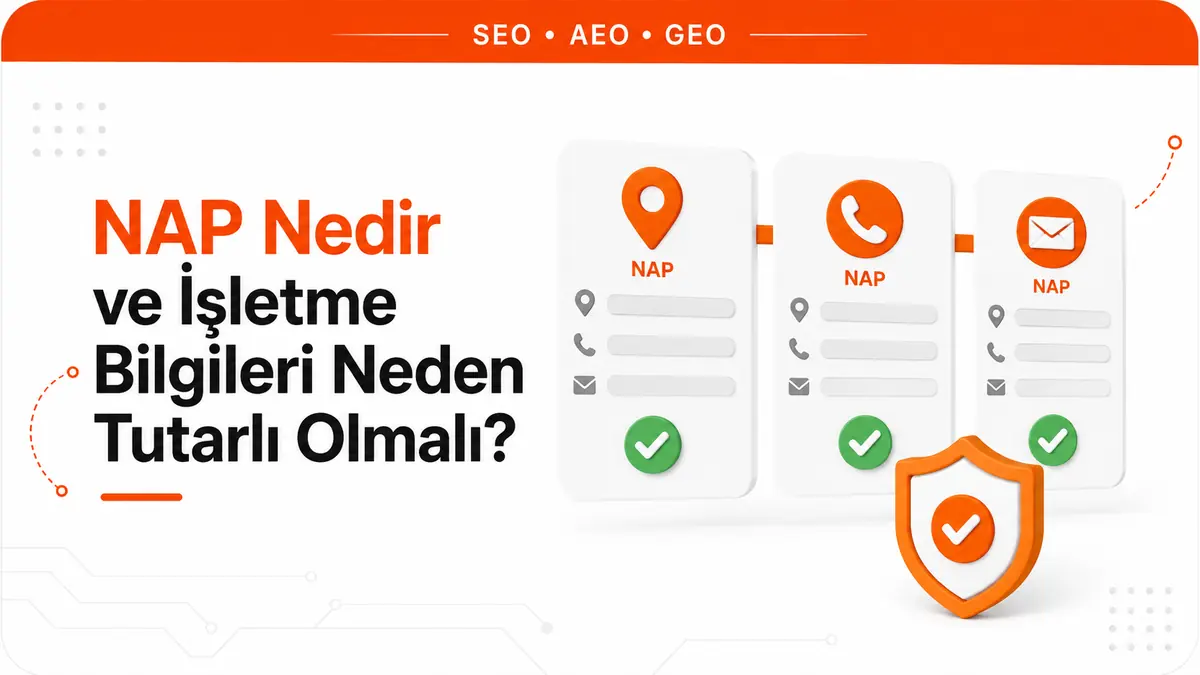
NAP is an acronym made up of the initials of a business's three core contact details: Name, Address and Phone. In local SEO literature, this trio serves as the identity set that picks out a business among the records scattered across the internet. The acronym has nothing to do with the everyday English word "nap"; here, NAP refers purely to business information.
Email addresses are not part of the acronym, but in practice they belong to the same identity set. A user who can't reach you by phone usually tries email next, and a non-working email address on the contact page produces the same result as a wrong phone number. That is why the NAP trio, email and the contact page should be treated as parts of the same whole.
Consistency means that wherever your business name, address and phone number appear, they show the same information. Your site's footer, your business profile, your social media bios, industry directories and your invoices should all point to the same business.
The first bill for inconsistency comes from customers, not the algorithm
In local SEO, NAP is almost always discussed in terms of rankings. Yet the certain, measurable and immediate consequence of inconsistency shows up on the user's side, and it happens without any algorithm getting involved.
Errors in the three data fields cause three different kinds of loss:
- Wrong phone number: an immediate and total loss. The user can't reach you, and the conversion ends right there.
- Wrong address: a delayed and costly loss. The user sets out, arrives at an empty address, and that experience often turns into a negative review. In other words, a single outdated record can leave lasting reputational damage.
- Wrong or different business name: a slow and insidious loss. The user can't be sure they are looking at the right business, trust drops and comparison takes longer.
What these three losses have in common is that they are invisible. There is no metric in your analytics called "users who gave up because they couldn't reach you". That is why a NAP audit has to prevent the problem up front; you can't count on seeing its effect in a report afterwards.
What Google says about local ranking, and what it doesn't
NAP is often overstated in the industry, with a narrative along the lines of "the number of directory listings is the engine of local rankings". When you look at Google's own documentation, the picture is narrower and clearer.
Google states plainly that local results are determined mainly by three factors: relevance, distance and prominence. The same document also states that it keeps the details of its ranking algorithm confidential and that you can't request or pay for a better local ranking.
The statement that bears directly on NAP is this: businesses with complete and accurate information are more likely to appear in local search results, and if the information is not accurate, the business profile may not appear in relevant searches in the area. It is a strong statement, but its scope is clear: the subject is the accuracy and completeness of the information on the business profile.
What Google does not say: nowhere does it document that having an identical record in hundreds of directories is a ranking factor. Even if directory listings have an effect, it is indirect and hard to measure. So the right framing is this: consistent information is not a ranking trick but a component of the business being understood correctly and earning trust. We cover this distinction, and local ranking as a whole, in our separate article What is local SEO?
The practical conclusion: instead of spreading your budget across hundreds of low-quality directory listings, invest in getting the information right on the few surfaces people actually use. The order of work follows the same logic.
Consistency is built on the real world, not on directories
This is the most frequently skipped step in NAP work. Most businesses start their audit by looking at "what records exist online" and treat the most frequently repeated variation as correct. That is the wrong reference point. Google's reference point is how the business represents itself in the real world: the name on the profile is the name that is used consistently and recognized across signage, stationery and branding.
That is why the first job is to write down a single canonical record without looking at digital listings. Use your signage, business cards, invoices and contracts as sources. Make no corrections until this record is written, because corrections made without knowing what is correct only redistribute the inconsistency.
Business name
The name field is where businesses struggle most, because the temptation to stuff keywords into it is strong. Google Business Profile guidelines explicitly list what is not accepted in this field: marketing taglines, store codes, trademark symbols, names written entirely in capital letters, opening hours, phone numbers or website URLs added to the name, and descriptions of services and products. Special characters and legal entity abbreviations can only be used if real-world evidence such as signage, business cards and invoices consistently shows these elements as part of the name.
Violating the guidelines does not just result in a warning. Google says the guidelines exist to help you avoid problems such as your information being changed or, in some cases, your business information being removed from Google. So a service phrase added to the name puts the entire profile at risk, even if it brings some visibility in the short term.
Address
The address field is expected to be accurate and precise. The profile is created for a real location that customers can visit. Information unrelated to the business's physical location, such as website addresses or keywords, does not belong in the address lines. Details such as suite, floor or building numbers go in the second address line.
Two situations need special attention. Virtual office locations, where only a mailing address is rented and the business does not actually operate, are not eligible for a profile. Offices in coworking spaces can only be listed if they have clear signage, receive customers during business hours and are staffed by your own employees.
If you don't receive customers at a physical location but go to where the customer is, you are a service-area business. In that case, you are expected to hide your address on the profile and show only your service area. A plumber who works from home doesn't need to show their home address on the map.
Phone
The rules for the phone field have direct consequences for businesses that use call tracking. Google asks that the number connect to the individual business location, that a local number be used instead of a call center line wherever possible, and that the number be under the business's direct control. Listings that send users to numbers or pages outside the actual business are not accepted.
The practical rule that follows: using a rented forwarding number for marketing measurement as the business's primary number is risky. If you need measurement, keep the business's own real number as the primary number.
On which surfaces should NAP information be identical?
Not all surfaces are equal. The order below is based on how many people an inconsistency harms and how quickly. If your resources are limited, work from the top down.
| Surface | Why it is in this position | Common mistake |
|---|---|---|
| Google Business Profile | Shown in search and map results, and calls are placed directly from it | Updating the address after a move but forgetting the phone number |
| Your own site (contact page and footer) | The second place users look to verify; a contradiction here kills trust | An old number forgotten in the footer template |
| On-site structured data | The layer where machines read the information without ambiguity | The address in the schema code not matching the visible address |
| Map and navigation apps | The only surface that can physically send a user to the wrong spot | The location pin sitting across the street instead of at the building entrance |
| Social media profiles | They rank high in brand searches and carry contact details | Contact details in the bio left untouched for years |
| Industry directories and listings | Low-traffic but long-lived records; where the oldest errors hide | Records nobody remembers creating and nobody can log into anymore |
How the business profile is set up and which fields are filled in is a separate topic; we cover that side in our article on Google Business Profile. For the location pin, service area and map visibility side, see our article on Google Maps SEO.
How do you find inconsistencies?
Paid audit tools speed up this work, but most inconsistencies can be found manually and for free. An efficient sequence:
- Write the canonical record. You cannot audit without the correct version of name, address and phone written in one place.
- Search for the old information. This is the highest-yield step. Instead of your brand name, search for your old phone number and your old address in quotation marks. Every result that comes up is a record that needs fixing.
- Search for the current number too. You will see which business names your number is associated with. If a defunct former trade name is still in circulation, it shows up here.
- Check suggested edits on the business profile. Users and automated systems can suggest information changes. An incorrect edit that gets approved goes live quietly.
- Scan your own site. The footer, contact page, branch pages, corporate page, structured data and, if you have an online store, its delivery and billing text. These areas, written at different times, go out of date independently of one another.
- Open your social profiles. Because they are rarely updated, this is where inconsistencies stay hidden the longest.
List every inconsistency you find with columns for surface, wrong information, correct information and access status. The access column is critical: records whose login details have been lost require a different process, and fixing them is the work that takes longest.
In what order should fixes be made?
Fixing things in random order means going over the same records twice. The order should be:
- Verify the business profile. To be able to edit information such as the business name and opening hours, the profile must be verified. Verification means taking ownership of the profile and being able to ensure the information is accurate. No plan works on an unverified profile.
- Bring the profile information in line with the canonical record. Correct the name, address, phone and location pin at the same time.
- Align your own site. The footer template, contact page and structured data. Because the site is under your control, this is the fastest surface to fix.
- Update your social profiles. It takes minutes and shows up immediately in brand searches.
- Clean up directories, starting with those that get traffic. Target the records that are actually visited, not the number of records.
One more rule applies when you move or change numbers: do not shut down the old line right away. Updating all records can take weeks, and in the meantime some users will still call the old number. Leave call forwarding on and those calls are saved. The same logic applies to the old address: if you have moved, besides updating the new location, consider putting up a notice for customers who show up at the old address.
Why are email and the contact page part of this work?
An email address is not a documented local ranking factor and should not be presented as one. But it is a real part of contact integrity, and its effect shows on the human side.
An email address on the company's own domain (such as name@yourcompany.com) gives users a stronger impression of organizational continuity than an address on a free email service. More importantly, a domain-based address moves with the brand identity, while a free address is often tied to an employee, and when that person leaves, the contact channel quietly closes.
The most common technical mistake on the contact page is embedding contact details inside an image. When the address and phone are added as an image out of spam concerns, the information becomes impossible for users to copy and unreadable to machines. This information should be written as text, and the phone number should be clickable.
Google allows you to share your own business's contact details on your own profile and in your replies to reviews. What is not accepted is requesting or publishing other people's personal information; this distinction is especially important in review replies.
Structured data makes NAP information machine-readable
Structured data converts information already visible on the page into a format machines can read without ambiguity. In LocalBusiness markup, address is a required property, and Google recommends filling in as many address properties as possible. The phone number is among the recommended properties. You are expected to choose the most specific subtype for your business; instead of a generic business type, use a type that matches, such as restaurant or health club.
Two limits apply here. First, structured data is useful for classic search features and semantic consistency, but it cannot be presented as a guarantee of being cited in AI answers or reaching the top of the rankings. Second, the information in the markup must match the information visible on the page. An old address left in the schema code is the hardest kind of inconsistency to notice, because nothing looks wrong on screen.
NAP audit checklist
| Check | What to look at | To pass |
|---|---|---|
| Canonical record | Is the single correct version of name, address and phone written down | Identical to signage, business cards and invoices |
| Name rules | Does the name contain a tagline, service phrase, phone, URL or opening hours | Only the real-world name |
| Address precision | Are suite and floor details on the right line, does the pin point to the entrance | Navigation drops the user at the right door |
| Phone ownership | Is the primary number under the business's direct control | A rented forwarding number is not primary |
| Old information scan | What comes up when the old number and old address are searched | No old information on any active record |
| On-site alignment | Footer, contact page, branch pages and structured data | All four show the same information |
| Access inventory | Which records you have login details for | Inaccessible records are listed and their recovery process has started |
| Duplicate profile | Is there more than one profile for the same location | One profile per location |
Run this list not once a year but after every event that changes information: a move, a phone line change, a change of trade name, a new branch or a branch closure. Inconsistency doesn't appear out of nowhere; it always follows a change.
Frequently Asked Questions
Does it hurt to write "St." in one place and "Street" in another?
Abbreviation differences at this level cause no problems in practice; both users and search systems recognize the same address. The real problem is differences that change the meaning: a different building number, a different district, missing floor information or a location pin that lands on the wrong spot on the map. Still, settling on a single spelling in your canonical record makes audits easier, because you only have to search for one pattern.
How many directories should I list my business in?
Asking for a number is the wrong question. Google has not documented the number of directory listings as a ranking factor. The right criterion is whether the listing is actually visited: a few directories that customers in your industry actually use are worth more than hundreds of listings nobody opens. Also, every new listing is a new surface that will need updating in the future; a listing you can't maintain eventually becomes a source of inconsistency.
Can I use a call tracking number?
The need for measurement is legitimate, but using a forwarding number as the primary number is risky. Google asks that the number on the profile connect to the individual business location and be under the business's direct control, and it does not accept listings that send users to numbers outside the actual business. The safe approach is to keep the business's own real number as the primary number.
Can all my branches use the head office number?
They can, but it is not the preferred approach. Google recommends using a local number instead of a central call center line wherever possible and expects each location to have its own number or its own page. In multi-branch setups, a separate number for each branch both meets this expectation and connects the user directly to the branch that will serve them.
I work from my home address. Can I hide my address?
Yes. If you don't receive customers but go to where the customer is, you are a service-area business, and hiding the address is the expected behavior. In that case, your service area appears on your profile instead of an address. Hiding the address does not weaken your profile; what is wrong is a service-area business showing an address on the map that customers can't visit.



