Two different companies can share the same name. If there are two "Atlas Teknoloji" companies working in the same industry, something has to decide whose logo appears in the search result. The brand name itself does not make that decision: tens of thousands of pages contain the same word, and some of them describe an entirely different organization.
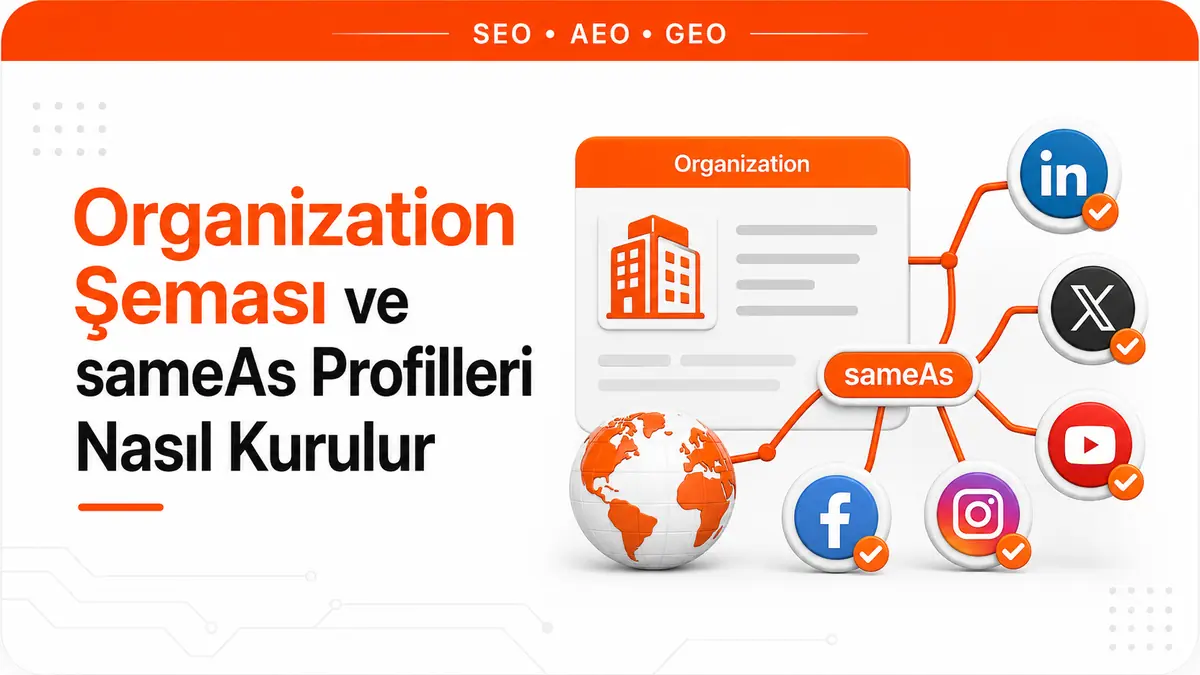
Organization schema solves exactly the on-site side of this disambiguation problem. It declares an organization's name, legal name, logo, address, contact channel, registration numbers and external profiles as machine-readable structured data. Google's organization documentation states the purpose of this markup directly: to better understand the organization's administrative details and to distinguish that organization from others in search results.
Part of the disambiguation work happens without ever being visible. Identifiers such as iso6523 and naics are never shown to users; they are used only in the background to tell organizations apart. Another part can produce visible results: the logo field can influence which image is shown in search results and in the knowledge panel.
Which question does Organization schema answer?
Page-level schema types answer the question "what is this page about?" Article markup declares an article's headline and author, and Product markup declares a product's price and stock status. Organization schema, on the other hand, describes not the page but the organization behind it.
This distinction has a practical consequence. Organization markup is not a content feature; it is a statement of identity. When set up correctly, it produces the machine-readable version of the sentence "this site belongs to this organization, its legal name is this, it is located at this address, it is registered under these numbers, and the profiles on these platforms also belong to it." When set up incorrectly, that sentence comes out contradictory and is of no use.
What "no required fields" really means
The most frequently repeated misinformation about Organization markup is the sentence "name, url and logo are required." Google's organization documentation has no required properties. Instead, it recommends adding as many properties as are relevant to the organization.
This does not mean the choice of fields is arbitrary; it means the quality threshold has moved. The validation tool will not stop you for a missing field; an Organization block containing only a type and a name is technically valid and contributes almost nothing to disambiguation. The focus Google recommends implies this as well: name or alternateName for the business name, address or telephone for the real-world presence, and url or logo for the online presence.
So the real question is not "which fields are required" but "does this declaration describe an organization that actually exists and can be checked from the outside?"
The fields do four different jobs
The Organization properties Google recognizes do not serve a single purpose but four different functions. Grouping the fields by these functions makes it easier to choose which ones are meaningful for you.
| Group | Fields | What it does |
|---|---|---|
| Identity | name, alternateName, legalName, description |
Pins down the names the organization is known by and what it does |
| Real-world presence | address, telephone, email, contactPoint, foundingDate, numberOfEmployees |
Ties the organization to a physical location and contact channels |
| Online presence | url, logo, sameAs |
Connects the organization's surfaces on the web to one another |
| Administrative identifier | vatID, taxID, iso6523Code, naics, duns, leiCode, globalLocationNumber |
Matches the organization with its unique number in official registration systems |
Several of these fields have rules of their own that need attention. The taxID value must match the country you declare in address. The telephone number should include the country code and area code. The legalName field is for a legal name that differs from name; if the two are the same, there is no benefit in writing it twice. Using iso6523Code with the 0199: prefix is recommended instead of leiCode. vatID is also useful on the user side: because a VAT number can be checked in public registers, it produces a direct trust signal.
Why the logo field stands apart
Among the Organization properties, logo is the only field Google explicitly associates with visual output in search results. The documentation's wording is measured: adding this property can help Google better understand which logo you want to show. In other words, it is a statement of preference, not a placement order.
For this preference to be taken into account, the image has to meet some technical conditions:
- The image must be at least 112x112 pixels.
- The image URL must be crawlable and indexable.
- The file format must be supported by Google Images.
- The image must look as you intend on a purely white background. A logo dominated by white or light gray may disappear on a white background.
- If the
ImageObjecttype is used, it must have a validcontentUrlorurlproperty.
In practice, the most common problems are with the first two items. A logo URL that sits in a design file repository, is blocked from crawling by robots.txt or is behind a login cannot be accessed even if it is written in the markup, and is therefore ignored.
What sameAs actually declares
The sameAs property has two separate definitions, and they do not emphasize the same thing. This difference is the shortest way to understand how to fill in the field.
The Schema.org definition is identity-centered: sameAs is the URL of a reference page that unambiguously indicates the item's identity. The examples given point the same way: the item's Wikipedia page, Wikidata entry or official website.
The definition in Google's organization documentation is information-centered: the URL of a page on another website with additional information about your organization. A profile page on a social media or review site is given as an example, and it is noted that more than one sameAs value can be provided.
Where the two definitions intersect describes a good sameAs candidate: a page that both points to you uniquely and actually carries information about you. An empty profile that merely repeats the brand name does not fall into this intersection. Likewise, sameAs is not a mechanism for passing link strength, not an alternative to canonical for declaring two pages as duplicates and not proof of ownership. Its job is to gather scattered surfaces under a single identity.
Which profiles belong in the sameAs list
There is no rule for the length of the list; Google only says that more than one value can be provided. What determines the selection is not the number but whether each line can be checked from the outside. In practice, four filters are useful:
- It must actually exist. If a profile that has not been created, has been closed or belongs to a different organization goes into the list, the declaration becomes false.
- It must be public. A profile that requires a login or is private does not count as a verifiable reference page.
- It should point back to the site. If your site's address is written in the profile's own field, the link between the two surfaces stops being a one-sided claim. Google does not publish the steps of this matching, but establishing a mutual reference makes the declaration something any reader can confirm.
- It must be alive. An account that has not been updated for years and still carries an old brand name blurs your identity instead of clarifying it.
Wikipedia and Wikidata hold a special place on this list, because schema.org cites them directly as examples of reference pages. However, a Wikipedia page is not an entry created on request; it depends on the platform's notability criteria, and those criteria require the brand to be covered in independent sources. If no such page exists, don't invent one; build the list from the real profiles that do exist.
How far the connection to the knowledge panel goes
The most common expectation on this topic is that Organization schema is the button that switches on the knowledge panel. Google's own explanation does not support this expectation.
Knowledge panels are boxes that appear when entities in the Knowledge Graph are searched for, and they are generated automatically. The information shown in the panel comes from various sources on the web. Google may work with partners that provide authoritative data on certain topics and combine that data with open web sources. In addition, verified entities can suggest edits to the information in their own panels, and some of the information shown may come from there.
Nowhere in this picture is there a statement that "if the site adds schema, the panel appears." On top of that, Google states explicitly that it does not guarantee that features using structured data will appear in search results.
The right expectation, then, is this: Organization schema becomes one of the sources of information about the organization. It declares which logo you prefer, makes the address and contact information consistent and says which external profiles belong to you. It does not decide whether a panel is created or, if one is, what it shows.
Which page the schema goes on and which subtype to choose
Google recommends placing this information on the home page or on a single page that describes the organization, such as the About Us page. There is no need to add it to every page of the site. This detail matters in practice, because Organization blocks stamped onto every page through a template and varying from page to page produce conflicting declarations.
The rule for choosing a type is to use the most specific schema.org subtype that fits the organization. If you run an e-commerce site, the OnlineStore subtype is recommended instead of OnlineBusiness. If the site describes a local business, such as a restaurant or a physical store, the administrative details should be provided with the most specific subtypes of LocalBusiness, and the required and recommended fields for local businesses should be used in addition to the fields in the organization guide.
JSON-LD example
The block below shows an implementation that uses the four field groups above together. Limit the fields to those that genuinely apply to your own organization; producing values to fill fields that do not apply weakens the markup.
<script type="application/ld+json">
{
  "@context": "https://schema.org",
  "@type": "Organization",
  "name": "Atlas Teknoloji",
  "alternateName": ["Atlas", "Atlas Teknoloji A.Ş."],
  "legalName": "Atlas Teknoloji Anonim Şirketi",
  "url": "https://www.example.com/",
  "logo": {
    "@type": "ImageObject",
    "url": "https://www.example.com/img/atlas-logo.png",
    "width": 512,
    "height": 512
  },
  "description": "Technology company that develops industrial automation software.",
  "foundingDate": "2011-04-18",
  "address": {
    "@type": "PostalAddress",
    "streetAddress": "Örnek Caddesi No 12",
    "addressLocality": "Kadıköy",
    "addressRegion": "İstanbul",
    "postalCode": "34710",
    "addressCountry": "TR"
  },
  "contactPoint": {
    "@type": "ContactPoint",
    "contactType": "customer service",
    "telephone": "+90-216-000-0000",
    "email": "support@example.com",
    "availableLanguage": ["Turkish", "English"]
  },
  "vatID": "TR1234567890",
  "sameAs": [
    "https://www.linkedin.com/company/example-atlas",
    "https://www.youtube.com/@exampleatlas",
    "https://www.wikidata.org/wiki/Q00000000"
  ]
}
</script>
Common mistakes
- Listing profiles that don't exist. Addresses added to the sameAs array with the thought "we'll create it later" produce an unverifiable declaration and contribute nothing to disambiguation.
- Inconsistent names. Using one name in the schema, another on social profiles and a third variation on the contact page makes disambiguation harder instead of easier. Declare genuine spelling variations under
alternateName; don't invent new names. - Keeping dead profiles on the list. When closed accounts and pages still carrying an old brand name are not cleaned up, the declaration goes stale.
- Copying the schema onto every page. Especially when it is duplicated with values that change from page to page, conflicting identity declarations appear.
- Putting the logo at an inaccessible address. An image sitting in a directory closed to crawling or behind a login cannot be used, even if it is written in the markup.
- Declaring information that isn't visible on the page. Structured data is expected to match the visible content on the page; an address or phone number that sits in the schema but is shown nowhere does not meet this expectation.
- Country and number mismatches. A tax number that does not match the address country and a phone number written without a country code are two common technical mistakes.
- Skipping the subtype. Staying with the generic
Organizationtype when the business is a store or a local business means missing out on the additional fields the more specific type offers.
Where entity clarity fits in AI answers
Generative answer engines and the AI surfaces within search recognize a brand more by its context than by its name. The confusion between two organizations with the same name applies here too, and the consequence is more visible: a wrong match means being mentioned in an answer with another company's information.
An honest framing matters at this point. Adding Organization schema does not get you quoted in an answer, a sameAs list does not produce citations and structured data carries no promise of rankings. What the schema does is more modest and more solid: when the organization's name, field, location and external surfaces are declared consistently, identity ambiguity decreases. That is the foundation models and search systems need to match the brand with the right entity. We cover the broader framework of this foundation in the article explaining the GEO approach.
Schema has one more limit: the declaration you make on your own site does not replace signals coming from outside. How the brand is mentioned across the web is a separate layer, and that layer needs to be worked on separately through unlinked brand mentions. The two complement each other: schema declares the identity, and external mentions support that identity independently.
Validation before going live
The order Google recommends is clear. First, validate the markup with the Rich Results Test and fix any critical errors. The tool may also flag non-critical issues; fixing them is not required for rich result eligibility, but it improves the quality of the structured data. For the practical details of the testing stage, see the Rich Results Test validation article.
The second step is a live check. Once a few pages with the markup are live, use the URL Inspection tool to test how Google sees them. What you are looking for here is simple: access to the page must not be blocked by a robots.txt rule, a noindex tag or a login requirement. Flawless markup on a page that cannot be accessed is useless.
Frequently Asked Questions
Should local businesses use Organization or LocalBusiness?
If the site describes a local business, it is recommended to provide the administrative details with the most specific subtype of LocalBusiness. In that case, the local business type's own required and recommended fields are used in addition to the recommended fields in the organization guide. So the choice is not an either-or; it is a matter of going down to the more specific type.
Can a profile on a review site go into the sameAs list?
Yes. The examples in Google's sameAs definition include a profile page on a review site as well as a social media profile. The criterion is not the type of platform but whether that page actually points to your organization and carries information about you.
What is the difference between legalName and name?
name is the name the organization is known by, while legalName is the legal name when it differs from the name value. If the trade name and the name in the trade registry are different, it makes sense to declare both separately. If they are exactly the same, writing the same value in two fields adds nothing.



