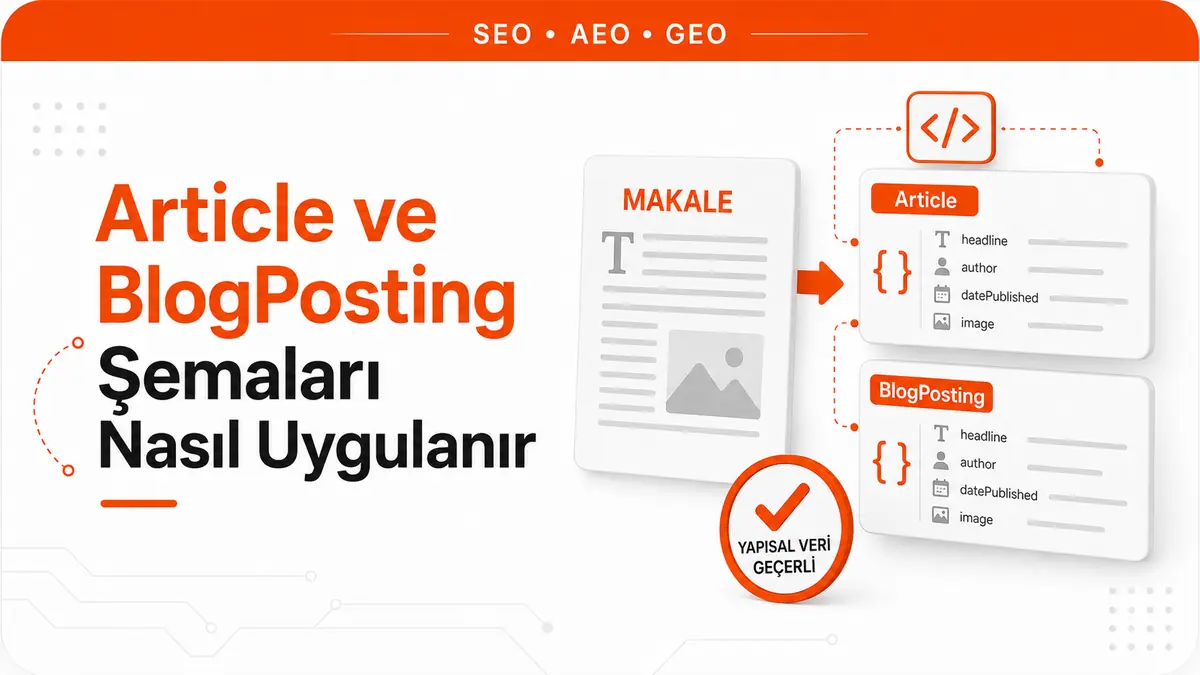
Picture two copies of the same blog post. The first has no structured data on the page; the second has Article markup added. Google crawls and indexes both, and they compete for the same queries in exactly the same way. The difference is where Google gets its information about the page: for the copy without schema, it has to pull the headline from the title tag, guess the date from the body text or the URL pattern, and work out the author from the byline. For the copy with schema, these four pieces of information are not guessed; they are declared.
If that distinction sounds small, that's because it is. Article markup is not a ranking signal, and Google does not guarantee that features using structured data will appear in search results. What it delivers is narrower and more concrete: a better chance that the headline text, image and date shown in search results are accurate, plus a machine-readable author and publisher relationship that is no longer open to interpretation. For an ordinary blog, this schema is technical hygiene, not a visibility lever. This article is about setting it up correctly at the hygiene level.
How Article, NewsArticle and BlogPosting fit into the hierarchy
All three types come from the same lineage, but they sit at different points in the chain. In the Schema.org vocabulary, Article sits under the CreativeWork class. NewsArticle is a direct subtype of Article. BlogPosting, however, is not a direct child of Article, as it is commonly described: SocialMediaPosting sits in between.
| Type | Schema.org chain | Typical use |
|---|---|---|
| Article | Thing > CreativeWork > Article | Any article, guide or review that does not need a type distinction |
| NewsArticle | Thing > CreativeWork > Article > NewsArticle | News content where the moment of publication is part of the information |
| BlogPosting | Thing > CreativeWork > Article > SocialMediaPosting > BlogPosting | A post published as part of a blog |
The practical takeaway is simpler than it looks at first glance. Google's article documentation treats these three types as equal: it is enough for the article object to be based on Article, NewsArticle or BlogPosting. So you do not lose any eligibility by choosing BlogPosting, and you do not gain anything extra by choosing Article.
The choice still matters, because schema is not read only for Google's article feature. The type declaration is a lasting statement about what the page is, and it pays off later in things like entity relationships, internal classification and archive migrations. The decision rule can stay simple: if the post is published as part of a blog, use BlogPosting; if the moment of publication and the timeliness of the event are the essence of the content, use NewsArticle; if neither fits well, use Article. There is no penalty for picking the wrong type, but there is no reward for picking an unnecessarily specific one either.
Usage data confirms this ordering. According to Schema.org's own usage panel, Article appears on more than 10 million domains, BlogPosting on 1 to 10 million domains and NewsArticle on 100,000 to 1 million domains. The most general type is the most widely used, and the most specific type the least.
Which fields Google wants in this schema
The most common misinformation here comes in the form of required-field lists. Google's article documentation states it plainly: there are no required properties. You only need to add the recommended properties that apply to your content. In other words, the lists passed around saying "you will get an error if you leave out these fields" are not accurate for this schema.
Google supports and recommends seven fields.
| Field | Type | What it does |
|---|---|---|
| author | Person or Organization | Declares the article's author and makes the person vs. organization distinction clear |
| author.name | Text | The author's name only |
| author.url | URL | A page that uniquely identifies the author: profile, bio or about page |
| headline | Text | The article's title; keeping it short and concise is recommended |
| image | ImageObject or URL, repeatable | An image that represents the article |
| datePublished | DateTime | Date and time of first publication, in ISO 8601 format |
| dateModified | DateTime | Date and time of the last modification, in ISO 8601 format |
It is also worth looking at what is not on the list. Google's article documentation used to keep a separate set of requirements for AMP pages, and that set defined the conditions for the publisher logo. Today's documentation no longer distinguishes between AMP and non-AMP pages, because there is no separate set of required fields anymore. Requirements still in circulation, such as "the publisher logo must be this many pixels", are leftovers from that old distinction and are not an eligibility requirement today.
The reverse also holds: a field that is missing from Google's recommended list is not wrong for that reason. Fields such as publisher, mainEntityOfPage, articleSection and inLanguage are valid Schema.org properties and carry value for entity consistency; they are simply not required for this feature. The distinction is this: adding them is harmless, and leaving them out does not make your setup incomplete.
What JSON-LD looks like for a blog post
Google supports all three formats (JSON-LD, Microdata, RDFa), and if the markup is valid, all three count the same. Even so, the recommended format is JSON-LD, because it is the easiest to implement and maintain: the markup is not scattered through the text the user sees, it sits in a single block, and nested data structures are easier to handle.
<script type="application/ld+json">
{
  "@context": "https://schema.org",
  "@type": "BlogPosting",
  "headline": "How to Implement Article and BlogPosting Schema",
  "image": [
    "https://example.com/images/1x1/article-schema.jpg",
    "https://example.com/images/4x3/article-schema.jpg",
    "https://example.com/images/16x9/article-schema.jpg"
  ],
  "datePublished": "2026-03-04T09:00:00+03:00",
  "dateModified": "2026-05-19T14:30:00+03:00",
  "author": [
    {
      "@type": "Person",
      "name": "Ada Yılmaz",
      "url": "https://example.com/author/ada-yilmaz",
      "jobTitle": "Technical SEO Editor"
    },
    {
      "@type": "Person",
      "name": "Kerem Aydın",
      "url": "https://example.com/author/kerem-aydin"
    }
  ],
  "publisher": {
    "@type": "Organization",
    "name": "Example Publishing",
    "url": "https://example.com"
  },
  "mainEntityOfPage": {
    "@type": "WebPage",
    "@id": "https://example.com/blog/article-schema"
  }
}
</script>
This block can go in the page's head or body. Listing the two authors separately, writing the times with a time zone and providing images in three different aspect ratios are deliberate choices; each one is explained below.
How the author field relates to E-E-A-T
The most exaggerated claim about author markup is that adding an author field earns the page expertise points. It does not work that way. Schema does not create expertise that is not there; it removes machine-side ambiguity about an identity that already exists. If there is already a visible author byline on the page, a real person behind that byline and a verifiable track record for that person, the author field makes that connection explicit. If none of these exist, filling in the field changes nothing.
The real contribution here is disambiguation. author.url points to a page that uniquely identifies the author: a social media profile, an about page or a bio page. If the URL is a profile page on your own site, Google recommends marking that page up with ProfilePage structured data. Alternatively, sameAs can be used; Google can understand both url and sameAs when identifying authors. This is the only clear method you have to distinguish yourself from other people with the same name, and it is the real technical rationale behind author bio pages.
Google's best practices for author markup follow the same disambiguation logic. The author.name field should contain only the author's name; the publisher's name goes in the publisher field, the job title in jobTitle, and honorific prefixes and suffixes in honorificPrefix and honorificSuffix. Introductory words such as "Written by" do not belong in the name field. For those who want to set up the publisher side separately, how Organization and sameAs profiles connect is a separate topic.
When date fields actually matter
Both datePublished and dateModified are written in ISO 8601 format, and Google recommends including time zone information. If you leave it out, the time zone used by Googlebot is assumed by default, which means your publication time is read with an offset. For sites that publish daily, this is an accuracy problem, not a ranking one: a post you published in the morning may be understood as published the previous day.
There is a small detail to note about how tools treat these two fields. The Rich Results Test does not show warnings for them, because they are only recommended when you decide they suit your site. So the tool staying silent does not mean the fields are unnecessary; it means the tool treats them as optional.
The real risk is misusing dateModified. Moving the update date forward without touching the content is not a way to make the page look fresh; it creates a situation where the declaration in the schema contradicts the content on the page. A date field is useful when it reports a change that was actually made. Changing only the date is changing nothing.
Image field requirements most blogs skip
The image field has the most conditions of any field on the list. Google's guidelines require the following: image URLs must be crawlable and indexable, images must represent the marked-up content, and they must be in a file format supported by Google Images. There is also an additional recommendation: for best results, provide multiple high-resolution images in 16x9, 4x3 and 1x1 aspect ratios, with a width multiplied by height of at least 50,000 pixels.
This last item is the one most often skipped in practice. Most blogs put a single horizontal cover image in the image field and leave it there. Providing all three ratios meets different cropping needs on different surfaces; when you provide only one ratio, the cropping decision is left to the system rather than to you.
Another common mistake concerns what the image actually is. Google explicitly says to use an image relevant to the article rather than a logo or a title template. Automations that stamp the same branded cover on every post may look technically valid, but they produce semantically empty markup: the image does not represent the marked-up content.
What this schema does and does not deliver
The concrete benefit of Article markup is that Google understands the article better and can show better headline text, images and date information in Search and on other Google surfaces. One limit should be stated plainly: this markup is not required to benefit from Google News features such as "top stories". The markup is not a ticket in; it is a way of describing your content more clearly.
On top of that comes Google's general rule: features that use structured data are not guaranteed to appear in search results. Schema produces eligibility, not results. If a manual action related to structured data has been applied to your page, the schema is ignored entirely, although the page may continue to appear in search results. In other words, markup is a privilege that can be lost, not an earned right.
It may be more useful to read this framework in reverse. Article schema does not raise your page's ranking, does not get it indexed and does not improve your content. All it does is turn an inference Google is already trying to make into something other than a guess. That is a small but steady gain, and that is exactly why it counts as hygiene.
Does schema increase AI citations?
The most repeated claim lately is that structured data increases the chance of being cited in AI answers. The source of this claim is usually a correlation, and the correlation itself is real: in an analysis of millions of URLs, pages cited by AI were about three times as likely to carry JSON-LD as pages that were not cited, and more than half of the cited pages had schema.
The problem is reading that correlation as causation. The same research team took the work one step further and compared 1,885 pages that added JSON-LD with roughly four thousand matched control pages. The matched difference-in-differences test they considered most reliable showed a small 4.6% decline on the AI Overviews side (both groups were declining; the pages that added schema declined slightly faster), a 2.4% increase on AI Mode and a 2.2% increase on ChatGPT. The last two cannot be statistically distinguished from zero.
The most instructive part of this study is not the numbers themselves but the gap between the raw and the adjusted data. The raw before-and-after growth in AI Mode citations for the same pages came out at 43%. Because the control group grew at almost the same rate (in other words, because the whole platform grew), that 43% drops to 2.4% once adjusted. Most "we added schema and our citations went up" case studies skip exactly this adjustment.
The finding should not be stretched beyond its scope. All the pages studied were already heavily cited before the study, meaning they were already inside the evaluation pool; this data does not answer what schema does for a page that has never been seen. In addition, pages that add JSON-LD usually change other things at the same time, and all schema types were pooled together. That is why the finding is not a law but a strong directional indicator.
A second line of evidence comes from real-time fetching. In an experiment testing whether five AI systems (ChatGPT, Claude, Perplexity, Gemini and Google AI Mode) used schema when fetching a page live, none of them did; all of them extracted only the visible HTML text, ignoring JSON-LD as well as hidden Microdata and RDFa. This is consistent with the view that what drives citations is content that sits on the page in readable form. How to write content that gets cited in AI answers is a separate topic, and schema is not the answer to it.
The conclusion should be balanced. There are still good reasons to use JSON-LD: rich results, voice assistants, the knowledge graph and downstream entity recognition. But adding schema to pages that are already visible in the hope of increasing AI citations is not a bet supported by the available data.
The seven most common markup mistakes
- Marking up information that is not visible on the page. Schema should reflect the content shown to the user. There is a second reason for this as well: in the live fetching experiment, AI systems ignored hidden markup completely. Marking up invisible content gets no response on either side.
- Moving dateModified forward without changing the content. It does not create freshness; it creates a contradiction between the schema and the page.
- Leaving the time zone out of dates. Without a time zone, Googlebot's time zone is assumed and the moment of publication shifts.
- Filling author.name with a title and an organization name. This field carries only the name; the title goes in jobTitle, the publisher in publisher, and prefixes and suffixes in honorificPrefix and honorificSuffix.
- Combining multiple authors into a single string. Each author is listed in their own author entry; cramming two names into a single name value with a comma is a pattern Google explicitly warns against.
- Putting a logo or a fixed template cover in the image field. The image should be relevant to the article and represent the marked-up content.
- The theme and a plugin both outputting a separate article object on the same page. This is the most common conflict in content management systems; two different sources declare mismatched headlines or dates for the same page.
Six of these seven items come down to the same principle: schema should say the same thing as the page itself. Structured data is not a marketing field; it is the machine-side copy of the page, and a copy that differs from the original loses its value.
Validation and maintenance cycle
After setup, validation relies on two tools, and each answers a different question. The Rich Results Test shows whether the markup is valid; critical errors here must be fixed. Fixing the non-critical issues the tool flags also improves data quality but is not required for rich result eligibility, so you do not have to clear every warning. What this distinction means in practice is covered in more detail in the Rich Results Test validation workflow.
The second tool is the URL Inspection tool, and it answers a more basic question: can Google actually access the page? You need to make sure the page is not blocked by robots.txt, does not carry a noindex tag and is not behind a login. Flawless schema on a page that cannot be accessed is useless.
Maintenance also means managing expectations. It can take Google a few days to find and crawl a published page, so looking for results in the first days after adding schema is misleading. The healthy cycle is this: retest a few sample pages whenever the template changes, the author structure changes or a plugin is updated. There is no need to audit every post one by one; because the schema comes from the template, errors come from the template too, and an error seen on one page is most likely present across the entire archive.
Frequently Asked Questions
Will I lose my chance at rich results if I use BlogPosting instead of Article?
No. Google considers it sufficient for the article object to be based on Article, NewsArticle or BlogPosting; all three are valid for the same feature. The choice of type is about semantic accuracy, not eligibility.
Can I use BlogPosting and another schema type on the same page?
Yes. Different types target different features and can coexist on the same page. A common example is a guide that contains both an article and a question-and-answer section; in that case, how to set up FAQPage schema is a topic that needs to be handled separately. The only thing to watch is that the two blocks do not declare conflicting information.
If my content management system generates schema automatically, should I add JSON-LD by hand?
First check what the plugin generates. In most cases the plugin output is sufficient, and adding a manual block on top creates two conflicting article objects. Manual intervention makes sense for filling in fields the plugin does not generate (for example, multiple image ratios or the author profile link).
Will my rankings drop if I remove the schema?
Because schema is not a ranking signal, your rankings are not expected to drop directly. What you lose is eligibility: Google goes back to producing the headline, image and date from inference rather than from a declaration, and display features that depend on schema are switched off.



