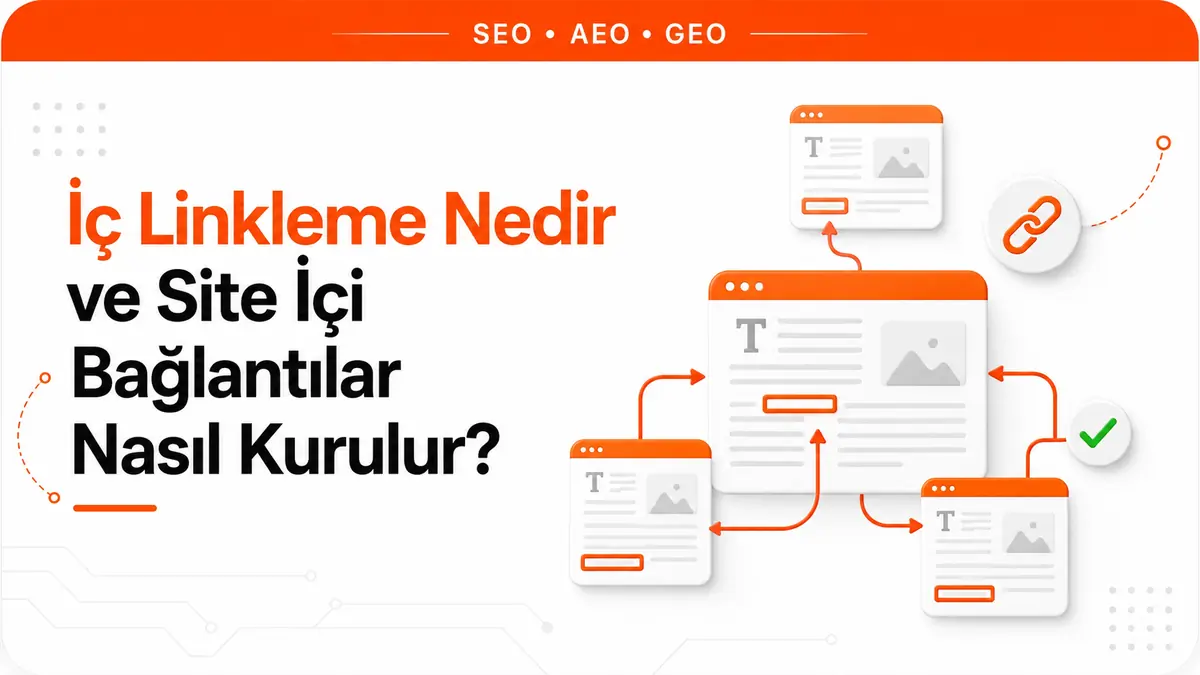
A service page is published. The copy is written, the title is right, it appears in the sitemap. Months later, someone notices the page has received almost no impressions, and everyone starts looking for the cause in the page itself. Yet the problem is often simpler: no page on the site links to it. It wasn't added to the menu, it isn't mentioned in any article, and it never made it into a category listing. The page is technically live, but it sits outside the site's link network.
An internal link is a link from one page to another page on the same domain. According to Google, the vast majority of the new pages it discovers every day are found through links. That single sentence turns internal linking from a decorative detail into something essential: you are the one who lays the path to your pages.
There's also the question of control. You can't decide who will link to you from outside. On your own site, by contrast, you decide entirely which page links to which, in which sentence the link appears and with what text. Internal linking is the only link layer that is in your hands from start to finish.
What is an internal link and how does it differ from an external link?
An internal link is one where the source page and the target page are on the same domain. An external link goes out to another domain. From a browser's point of view, both are the same HTML structure; the difference lies in the meaning they carry and in who makes the decision.
An incoming link from outside means someone else found your page worth referencing. How that link is evaluated is a separate topic, covered in detail in our article what is a backlink. An internal link, by contrast, is not a reference but an architectural statement: you are saying which page on your site sits at the center of which topic, and which page explains which other page.
In practice, this distinction leads to one conclusion. External links are earned; internal links are designed. Whether a page ever gets a link from another site may not be up to you; whether it gets one from your own site is entirely your call.
How does Google find new pages through internal links?
As Google describes the process, there is no central registry of web pages. The system learns about new URLs in two main ways: by seeing a link from a page it already knows to a new page, and by reading submitted sitemaps. The example in the documentation is internal linking itself: a category page links to a newly published article, and the article is discovered that way.
Discovery is the first link in the chain, not the last. Google doesn't crawl every URL it discovers, nor does it index every page it crawls; how often a page is crawled is determined algorithmically. So an internal link isn't a "button that gets the page into Google". What it does is more fundamental: it opens a path along which the page can be found, and with the text around that path it explains what the page is about. For the full picture of discovery, crawling and indexing in search, see our article what is SEO.
An internal link actually does three separate jobs
Lumping all internal links together is the most common mistake. A single link can do three different jobs at once, and not every type of link is good at all of them.
- Discovery: It connects the page to a path the crawler can find.
- Context: Through the anchor text and the surrounding sentences, it explains what the target page is about.
- Guidance: It takes the reader to the next step they actually need.
Once you separate these three jobs, the difference between template links and in-content links becomes obvious.
| Link type | Makes the page discoverable | Carries topical context | Main job |
|---|---|---|---|
| In-content contextual link | Yes | Yes | Taking the reader to a deeper layer of the topic |
| Main menu link | Yes | Limited | Defining the site's main sections |
| Footer link | Yes | No | Providing access to support and company pages |
| Sidebar link | Yes | Limited | Keeping featured pages visible on every screen |
| Breadcrumb | Yes | Yes | Showing the page's place in the hierarchy |
| Related posts block | Yes | Partly | Suggesting other content under the same topic |
The reason for the distinction in the table is simple. A footer link is repeated identically on every page of the site, so it says nothing specific to the page it sits on. An in-content link is an editorial decision specific to that page, and the sentence around it describes the target's topic. Google's link guidance recommends exactly this: think about other resources that would help the reader understand a page, and link to those pages in context.
Orphan pages: pages nobody links to
An orphan page is a page that receives no links from within the site. Google's link guidance sets a clear bar here: every page you care about should have a link from at least one other page on your site. The bar isn't "it should get lots of links" but "it should get at least one", and many sites don't even clear it.
Orphan pages usually come about in these ways:
- Campaign or seasonal pages are created, removed from the menu once the campaign ends, but left live.
- A new service page is published and added to the menu, but no article links to it.
- The category structure changes, and products tied to the old category drop out of listings.
- The blog archive grows, old posts sink deep into pagination and no current post mentions them.
- Content is created in the CMS and stays reachable by direct URL without ever going through the publishing flow.
Being in the sitemap doesn't solve this. A sitemap helps with discovery, but it doesn't explain which topic the page belongs to, which page it relates to or where the reader will arrive from. The orphan page problem isn't a listing problem; it's a context problem.
How to build relevant, deepening internal links
Relevant linking means linking from a page to pages that are genuinely related to its topic. Deepening linking means taking the reader to a deeper layer of the topic. The two work together: a link should be both relevant and one step deeper. A link to a page that says the same thing in different words takes the reader nowhere, even if it looks relevant.
In practice, the structure is a hub-and-subtopic relationship. A comprehensive page that covers the topic broadly (the pillar) sits at the center, and pages that each deal with one subtopic (the spokes) are arranged around it. Links flow in three directions:
- From the pillar to the subpages: Where the comprehensive page summarizes a subtopic, it links to that subtopic's own page. If the reader wants detail, the path is open.
- From the subpages to the pillar: Each subpage links back to the page that covers the topic as a whole. This link both places the reader in context and removes any ambiguity about which page is the hub.
- Between subpages: Only when there's a real relationship. Two subtopics are linked if they explain each other, not because they're in the same cluster.
The limit in the third point matters. Linking every page on a topic to every other page doesn't make any page in the cluster stand out. A link is an expression of priority; linking everywhere equally is the same as not stating any priority at all.
When deciding where to place a link, the useful question is: what is the first question that comes to the reader's mind when they read this sentence? The link should go to the answer to that question. A link tacked onto the end of a sentence with only a forced connection to the topic doesn't get clicked, and it gives the target page the wrong context.
How to choose anchor text for internal links
Anchor text is the visible text of a link. According to Google's guidance, this text tells both people and the search engine something about the target page. With internal links, this text is entirely under your control, which brings a responsibility external links don't: if an anchor describes the target page incorrectly, there's no one else to blame.
What to watch for in practice:
- Don't leave link text empty. A link with no text says nothing about the target. If the link is an image, the image's alt text takes the place of anchor text; that's why alt text shouldn't be left empty.
- Be descriptive. Patterns like "click here" and "more information" don't describe the target. The same problem occurs for someone using a screen reader to navigate between links: link text should be understandable even without the surrounding sentence.
- Don't repeat the same pattern everywhere. Using the exact same phrase in all forty links to a page makes the text less descriptive, because it doesn't say which aspect of the target page you're sending people to. If you're linking to the same page from different angles of the topic, the text should state that angle.
- Don't neglect the surrounding sentence. A link's context is built not only by the anchor but also by the sentence it appears in. Even the right anchor placed in a paragraph unrelated to the topic is a weak signal.
On the technical side there is one rule: Google can generally crawl a link only if it's an <a> tag with an href attribute. Setups that bind the click to a JavaScript event, use another attribute instead of href or put a script call where the URL should be aren't read reliably. Links added to the page with JavaScript cause no problems as long as they ultimately produce a normal <a href>. Using relative URLs (/blog/example) is fine as well.
Where does the value of footer, sidebar and menu links end?
Template links, meaning the menu, footer and sidebar links repeated on every page, do real work: because they're accessible from every page on the site, they guarantee their targets get discovered. One of the recommended uses of Search Console's links report is exactly this: verifying that core pages such as the home page and contact page receive proper links from within the site.
Their limits come from the same property. A link repeated identically on every page carries no information specific to the page it sits on. There's no difference between an "about us" link in the footer of a product page and the same link in the footer of a blog post. That's why the footer isn't a tool for rescuing a weak page. Adding a page that can't rank to the footer doesn't give it topical context; it only opens one more access route.
Bloated template areas come at a cost too. A footer carrying dozens of links is a scanning burden for users and meaningless repetition across the site. Google's guidance doesn't give a magic ideal number of links, but it does offer a practical yardstick: if you think it's too many, it probably is. This also answers how many internal links a page should have: the right question isn't "how many" but "does each one have a reason".
A split that works for template areas: the footer is for the support pages users look for (contact, company, legal pages, main categories), the sidebar is for a limited number of pages you want to feature, and every link that requires topical context goes into the content's own text.
Should you use nofollow on internal links?
Short answer: almost never. Since this is one of the most commonly misreported topics in Turkish-language sources, it's worth breaking down point by point.
First, a correction: there is no rel="dofollow" value in HTML. A link's default behavior is already to be followable; "dofollow" is just colloquial shorthand for that default. So there's no situation in which you need to add dofollow to your internal links, because there's nothing to add.
By Google's definition, rel="nofollow" signals that you don't want to be associated with the page you're linking to and don't want to pass it any endorsement or ranking credit. The key point: for links within your own site, Google's own documentation points to robots.txt disallow rules, not nofollow. So if what you need is "don't crawl this page", nofollow isn't the tool in the first place.
The second point is that nofollow is now treated as a hint rather than a definitive directive. This applies to ranking as well as to crawling and indexing. Relying on nofollow alone to prevent a page from being indexed was never the recommended method anyway; more reliable mechanisms like the robots meta tag and robots.txt exist for that.
The third point is that the calculation behind the idea of PageRank sculpting doesn't work. The logic went like this: mark some links on a page as nofollow, and their share would be redistributed to the remaining links. Google has stated that it changed this behavior; the share of a nofollowed link is not passed on to the other links. So marking internal links as nofollow doesn't strengthen the remaining links; it only removes that link from the calculation. Google's advice is clear as well: as a general rule, don't use nofollow when linking within your own site, and a sound information architecture with clear navigation is far more effective than trying to engineer crawl priority through links.
That leaves a genuinely narrow area of exceptions: pages that differ for every user and make no sense in search results (cart, login screen, user-specific filter URLs). Even for these URLs, the better tools are usually a robots.txt rule, a robots meta tag or designing the URL structure properly from the start.
The "internal links have the nofollow attribute" warning often seen in site audit tools should be read in this light too. The warning isn't a penalty notice; it usually points to an attribute that a theme or plugin added in bulk and nobody put there on purpose. The job is to find what added the attribute and remove it if there's no real reason for it.
Click depth: how many clicks away is an important page?
Click depth describes how many links you have to click, starting from the home page, to reach a page. Google hasn't published a fixed threshold, so the "three-click rule" is an industry habit, not a rule. That said, one of the recommended uses of Search Console's links report relates directly to this: organizing the flow within the site by checking whether users can get from one page to another in the fewest clicks.
In practice, depth causes problems in two places. The first is content that's reachable only from later paginated pages. If the only path to an article sitting on page fourteen of the blog archive is that pagination chain, the article effectively becomes an address nobody visits. The second is listing structures bloated with filter and variant URLs. In these structures, important product pages fall to the same depth as unimportant filter combinations.
The solution isn't to shorten depth artificially. The method that works is to link to commercially or strategically important pages directly, in context, from strong pages higher up: from a category page to a featured product, from a comprehensive guide to the related service page, from a frequently read article to the article that complements it. That way, depth follows the page's importance.
How to run an internal link audit
Internal linking isn't a one-time job, because the site changes with every new piece of content you publish. A working audit sequence looks like this:
- Run a full crawl. Use a tool that crawls the site from start to finish to find how many internal links each URL receives. Comparing the URL list in the sitemap with the crawl results immediately reveals the gap between the two.
- Separate out orphan pages. List the URLs that receive zero internal links. For each one, there's a single question: will this page stay live? If so, which is the right page to link to it; if not, is the right action a redirect or removal?
- Check the distribution. Open the most-linked pages table in Search Console's links report. Are the pages at the top of the list the ones you consider most important? If not, link weight is concentrated in the wrong place. The same report also shows which pages link to a given page.
- Measure the depth of commercial pages. Find out how many steps from the home page your revenue-generating pages are, and add in-context links from higher levels if needed.
- Clean up broken links and chains. Fix internal links whose target has been removed, and update internal links that point to a redirected URL so they go directly to the final URL.
- Review anchor text. This step catches empty link text, non-descriptive patterns and image links with empty alt text.
- Verify that links are crawlable. Especially in menus and listings generated with JavaScript, check that the output actually produces
<a href>.
Tying the audit to the publishing flow is less work than repeating it at regular intervals. When publishing new content, work in both directions: link from the new page to related older pages, and go into topically related older pages to add a link to the new page. The second step is skipped on most sites, yet it's the step that actually connects the new page to the link network. If you want to see your page inventory and link distribution in one place, the checks in our on-page SEO analysis speed up this workflow.
Frequently Asked Questions
Do I need internal links if I have a sitemap?
Yes. A sitemap is one of the ways Google discovers URLs, but on its own it doesn't explain a page's topic, which page it relates to or how readers will reach it. Anchor text, the surrounding sentence and the page's place in the site structure are established only through internal links. Being in the sitemap also doesn't guarantee crawling or indexing.
Is it a problem to link to the same page more than once in an article?
It isn't forbidden, but it's usually unnecessary. In the reading flow, a second and third link carry no new information; they only clutter the text. In a long guide, it can make sense if you're linking to the same page from different sections of the topic for genuinely different reasons. The measure isn't the number but whether each link has its own reason for the reader.
Does adding an internal link guarantee that a page gets indexed?
No. An internal link enables discovery, not indexing. Google doesn't crawl all the URLs it discovers or index all the pages it crawls; these decisions are made based on the page's content and the site as a whole. An internal link provides the first condition needed for the page to be evaluated, not the outcome.



